The flow of data in metadata can be categorized by five phases:
- Convert leads
- Enrichment
- Push to marketing automation
- Pull from marketing automation
- Opportunity attribution
Convert leads
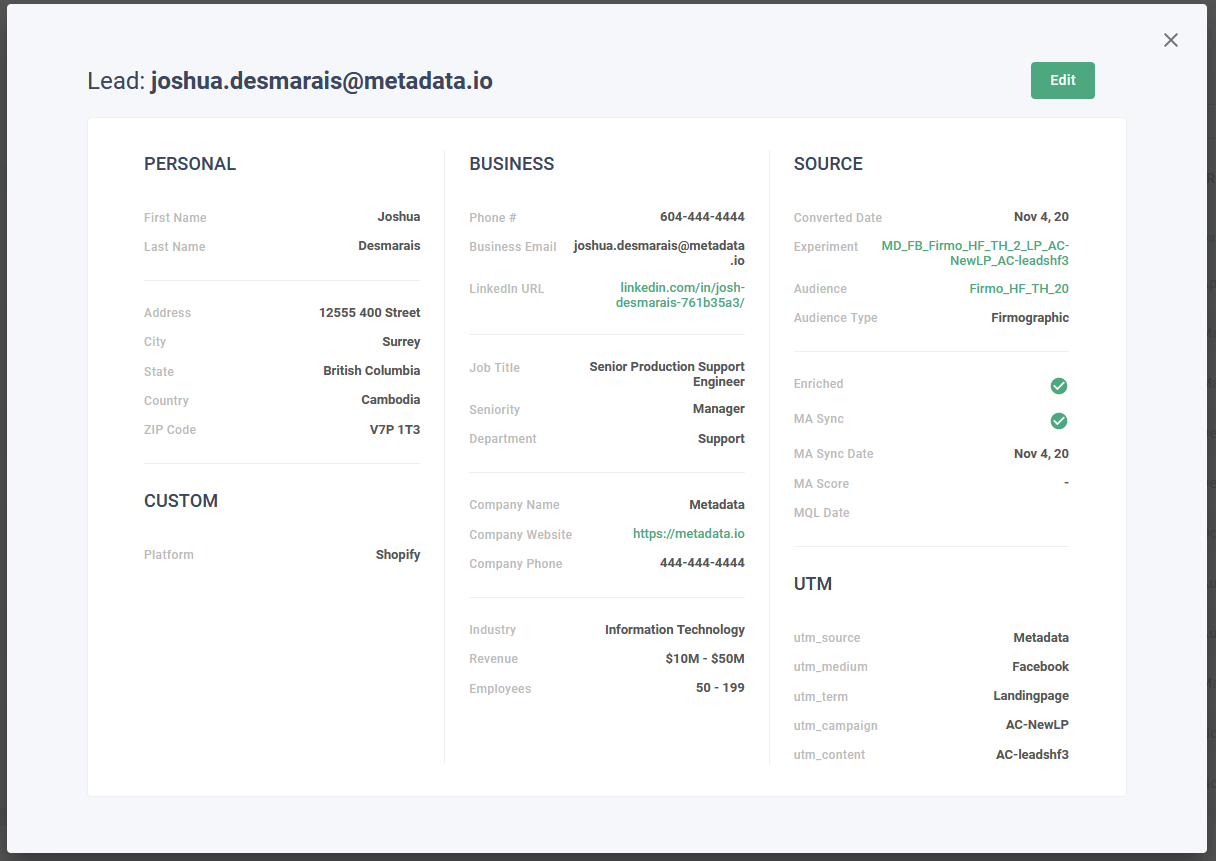
Metadata provides two ways for you to convert leads in our platform:
- Native lead generation forms
- Landing page lead generation forms
Depending on the approach you take, the data will flow differently.
Native lead generation forms
We run a background process every 15 minutes that retrieves all converted leads and adds them to your account.
Landing page lead generation forms
Thanks to the metadata pixel, landing page leads will trigger an API call to our platform which will then push the converted leads to our platform within 15 minutes.
Enrichment
There are two different ways that we enrich converted leads on the metadata platform:
- Automated enrichment
- Manual enrichment
Automated enrichment
Automated enrichment happens in real-time as leads are converted in the metadata platform.
Manual enrichment
In addition to automated enrichment, we have a manual enrichment team that reviews converted leads and validates the data for completeness and accuracy. Any updates that are made to the converted lead data are then pushed back in to your marketing automation tool. This process can take up to 24 hours.
Push to marketing automation
After leads convert in metadata, our platform will push those leads to your marketing automation tool. The time it takes to send those leads to your marketing automation tool depends on the Send Leads before Human Verification setting.
By leaving this setting disabled (recommended), you are configured to receive leads in your marketing automation tool only after our manual enrichment team has had a chance to verify your converted lead(s). For information on how long this can take, please see the Manual enrichment section above.
By enabling this setting (not recommended), you are configured to receive leads in your marketing automation tool in real-time as conversions occur on the metadata platform.
Pull from marketing automation
As leads are being tagged as qualified leads (MQLs), we pull those indicators and attribute them to their respective converted leads in to the metadata platform. These indicators allow us to differentiate leads based on quality and inform the strategies we employ to get you better results. By default, we pull:
- Score
- MQL Date
In addition to those fields, you can create additional custom fields that can be pulled into metadata from your marketing automation tool. Metadata pulls the most recent data from your marketing automation tool within 24 hours.
Opportunity attribution
The final step in our data flow is to attribute converted leads to influenced and triggered opportunities in your CRM. This process happens within 24 hours. For more information on how opportunity attribution works, please visit our opportunity attribution article.