
All about: MetaMatch vs native targeting audiences
On this page
Learn about MetaMatch and native targeting audience types to make the best decision about what audiences to include in your next campaign.
This article compares both audiences based on the following:
- Audience types
- How to identify each audience type
- Audience criteria
- Audience criteria logic
- How each audience type appears on the ad channels
Get started on the Audiences > Add New Audience page.
Audience types
MetaMatch audiences rely on Metadata’s proprietary database of over 1.5 billion contacts pulled from 12 data providers.
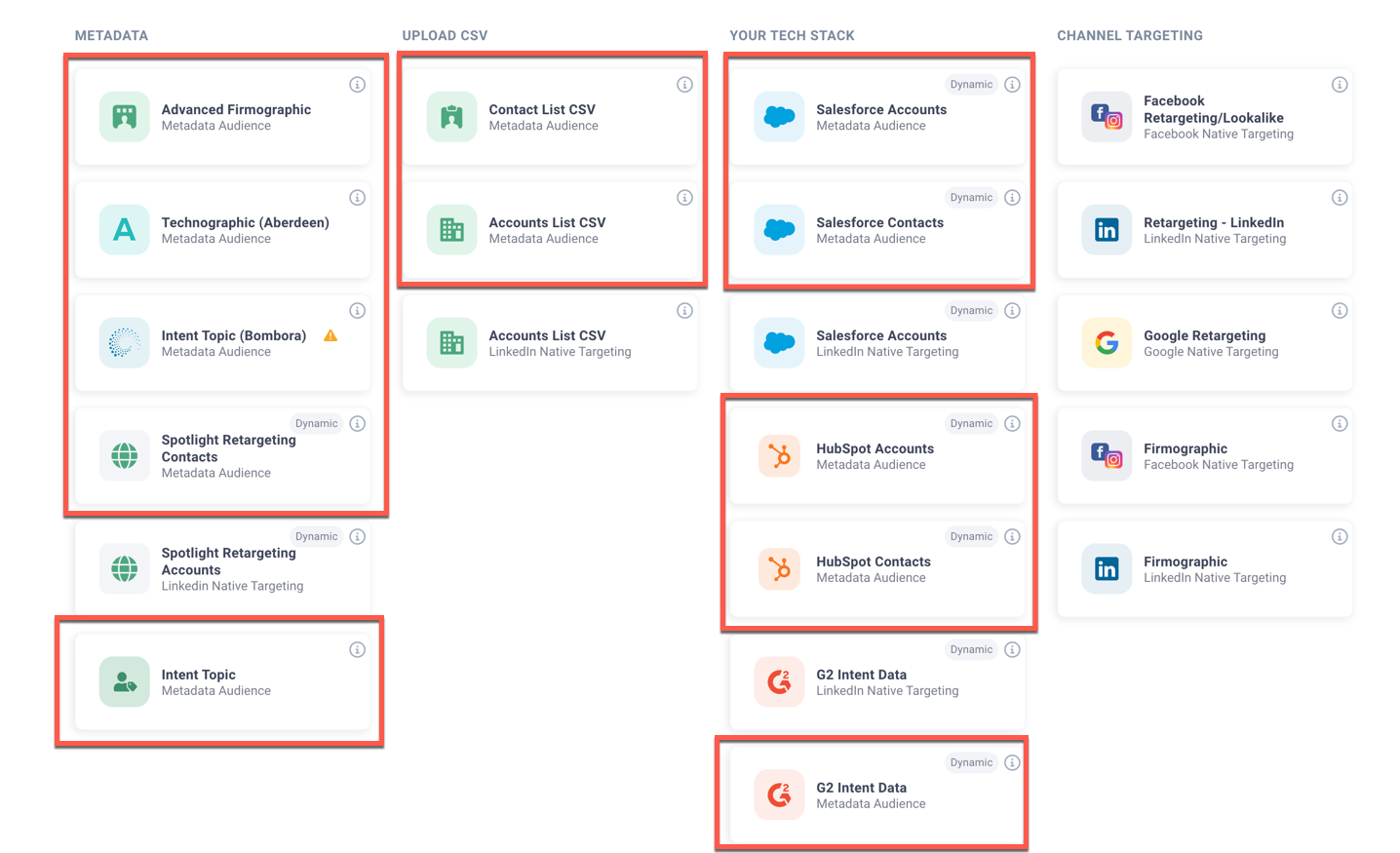
Native targeting audiences rely on the ad channel’s native data and filter criteria.
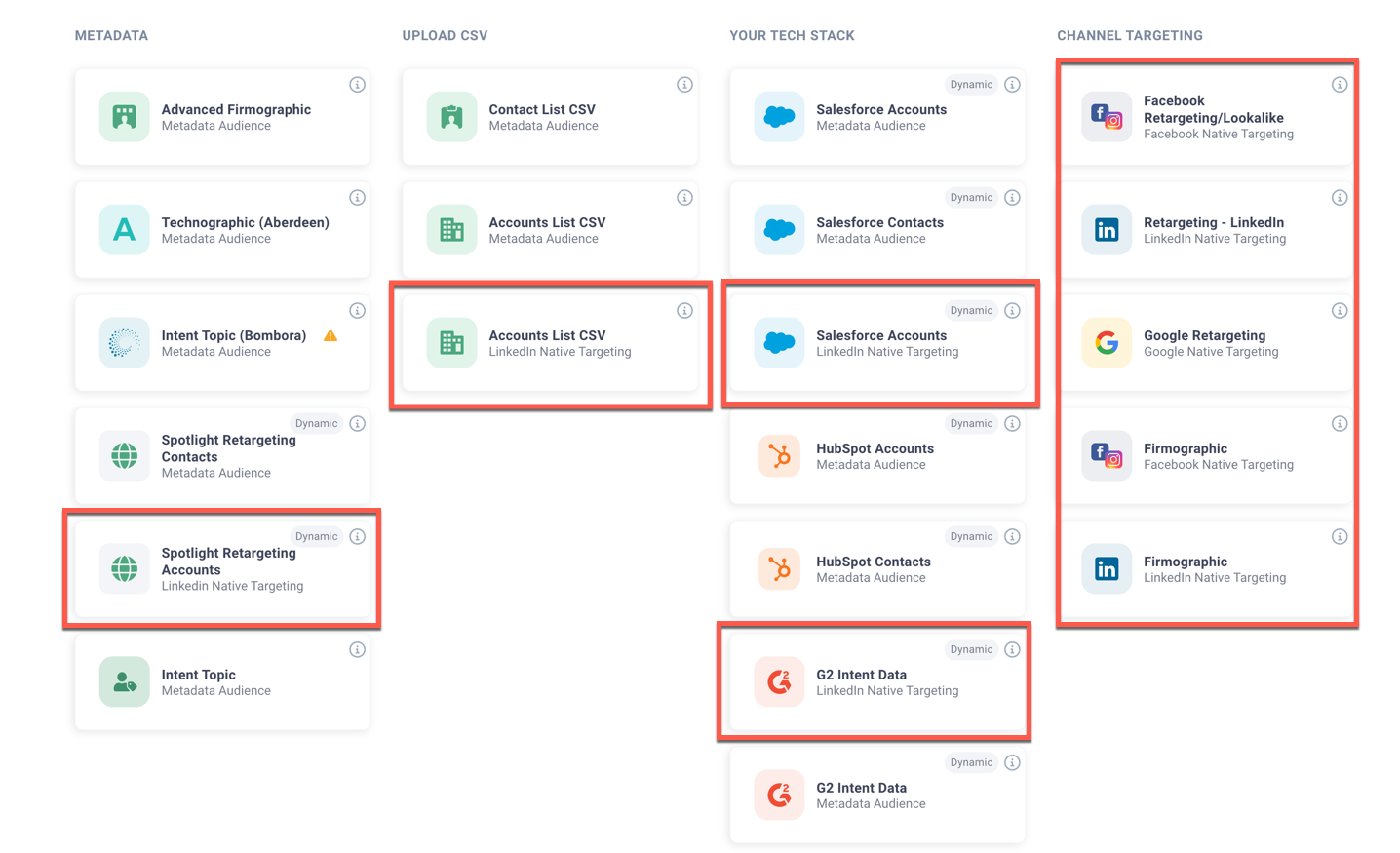
Identifying audience type
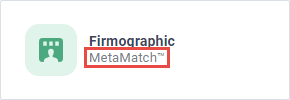
Identify MetaMatch audiences using the MetaMatch text under the audience type label.
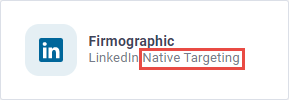
Identify native targeting audiences using the Native Targeting text under the audience type label.
Audience criteria
MetaMatch audience criteria are based on fields in the MetaMatch database.
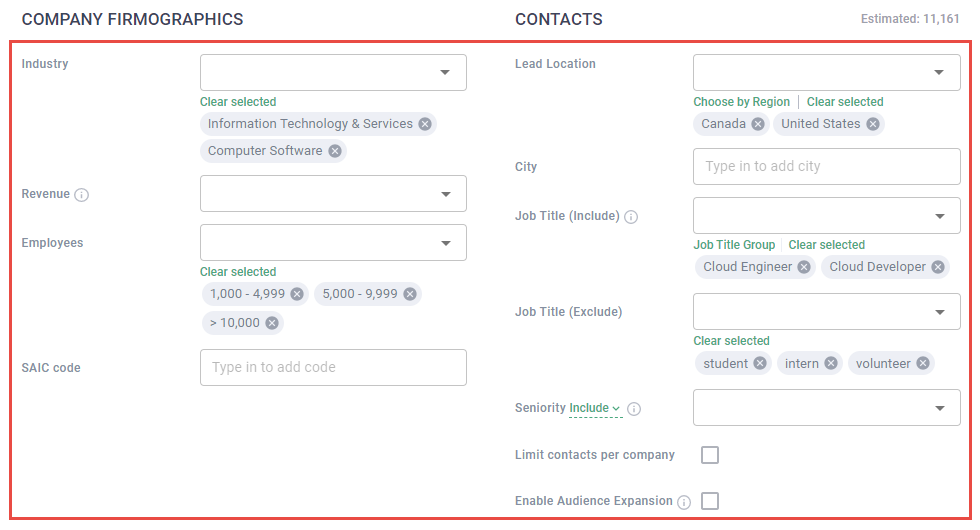
Native targeting audience criteria are based on the fields used for targeting on the ad channels.
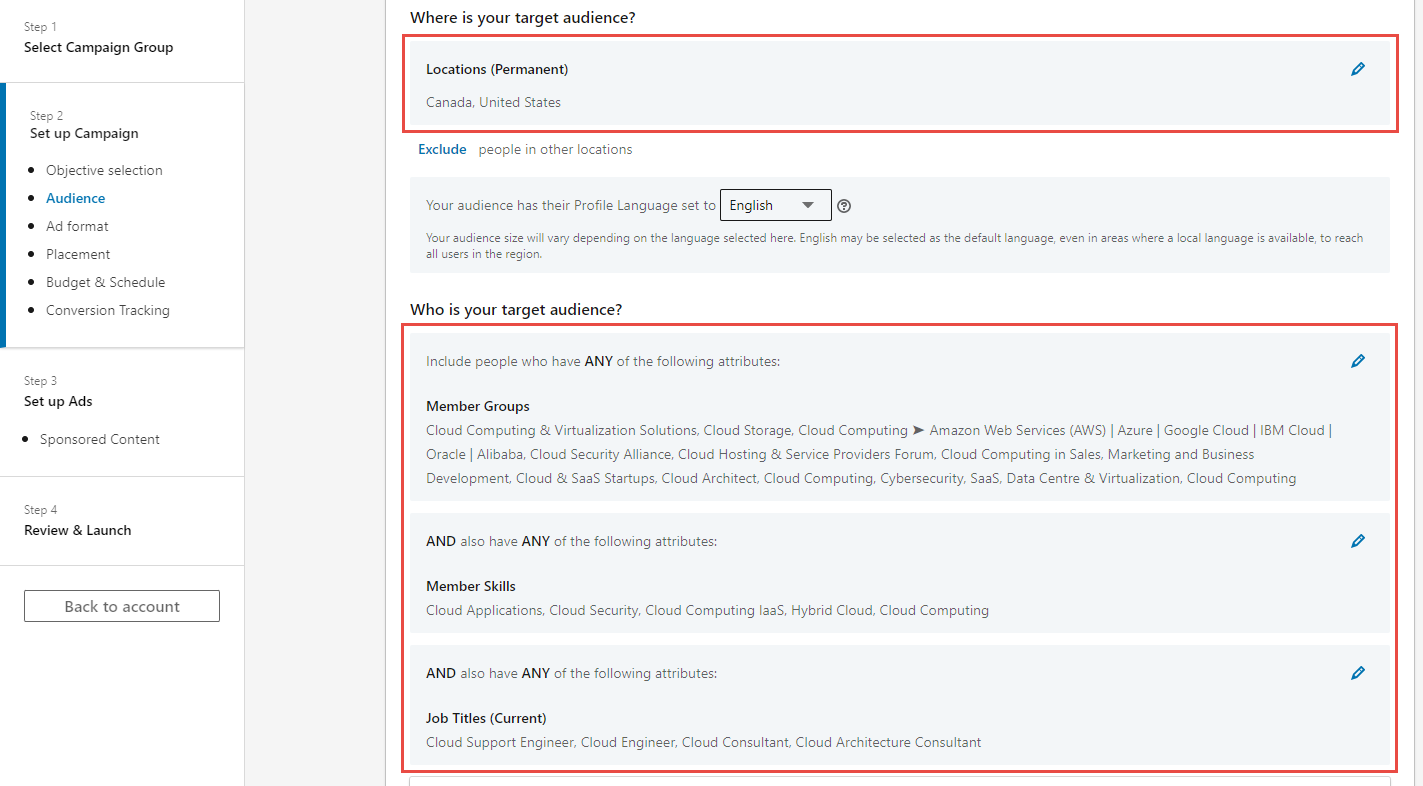
Note: The screenshot below showcases fields unique to LinkedIn. Facebook and Display native targeting audience types have different fields.
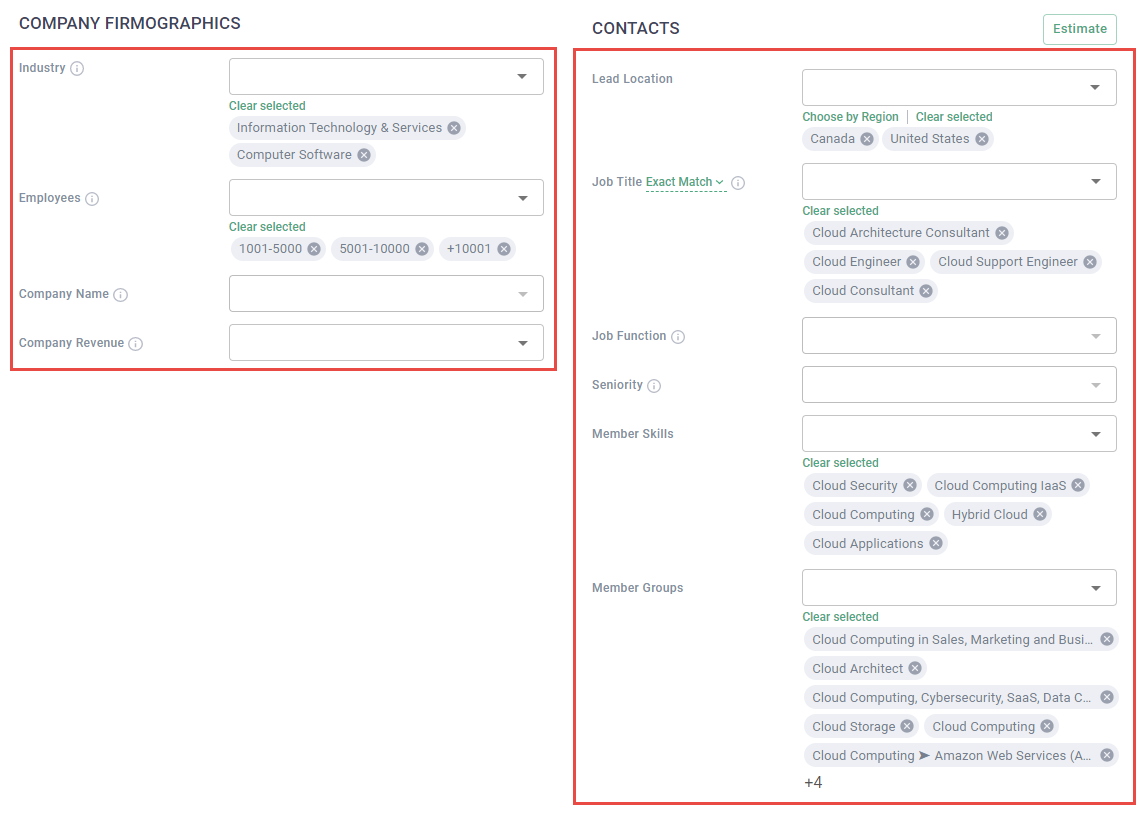
Audience criteria logic
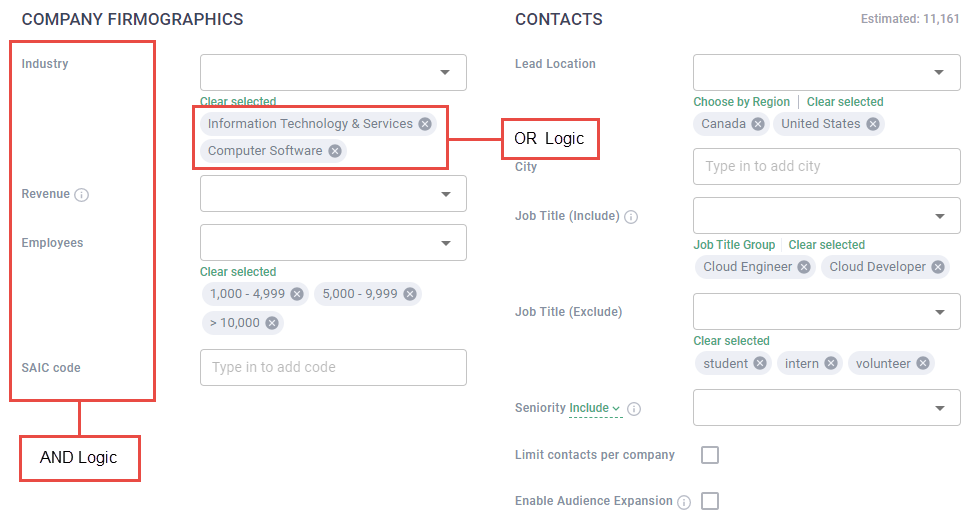
Both MetaMatch and native targeting audiences find contacts that meet all field criteria. The logic between fields is AND; the logic in fields is OR.
Audience types on the ad channel
Note: The screenshots below are unique to LinkedIn however, the same information applies to Facebook and Display native targeting audience types.
MetaMatch audiences always produce a contact list that is uploaded as a custom audience on ad channels.
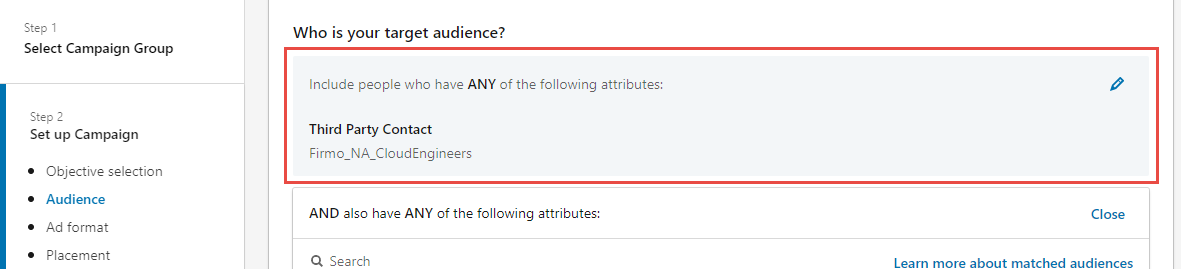
Native targeting criteria inform the targeting settings on the ad channel.
Channels supported
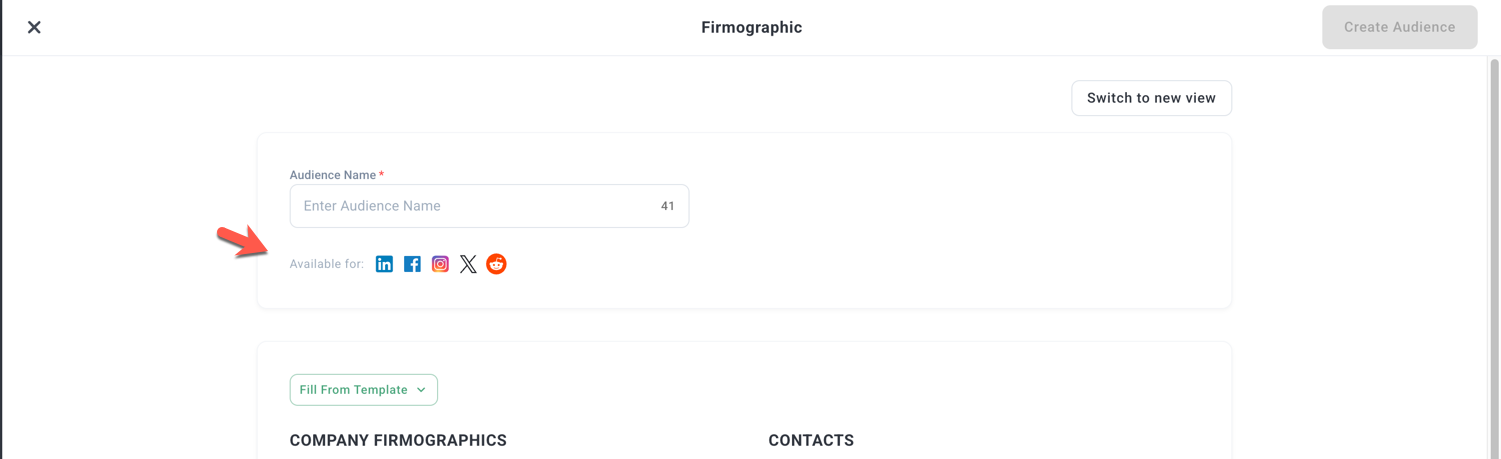
When creating an audience, you will see which channels are supported by looking at the available for.
For example, when creating this Firmographic audience you can see the audience is available for LI, FB, IG, X, Reddit
When creating a SFDC Contact audience you will see:
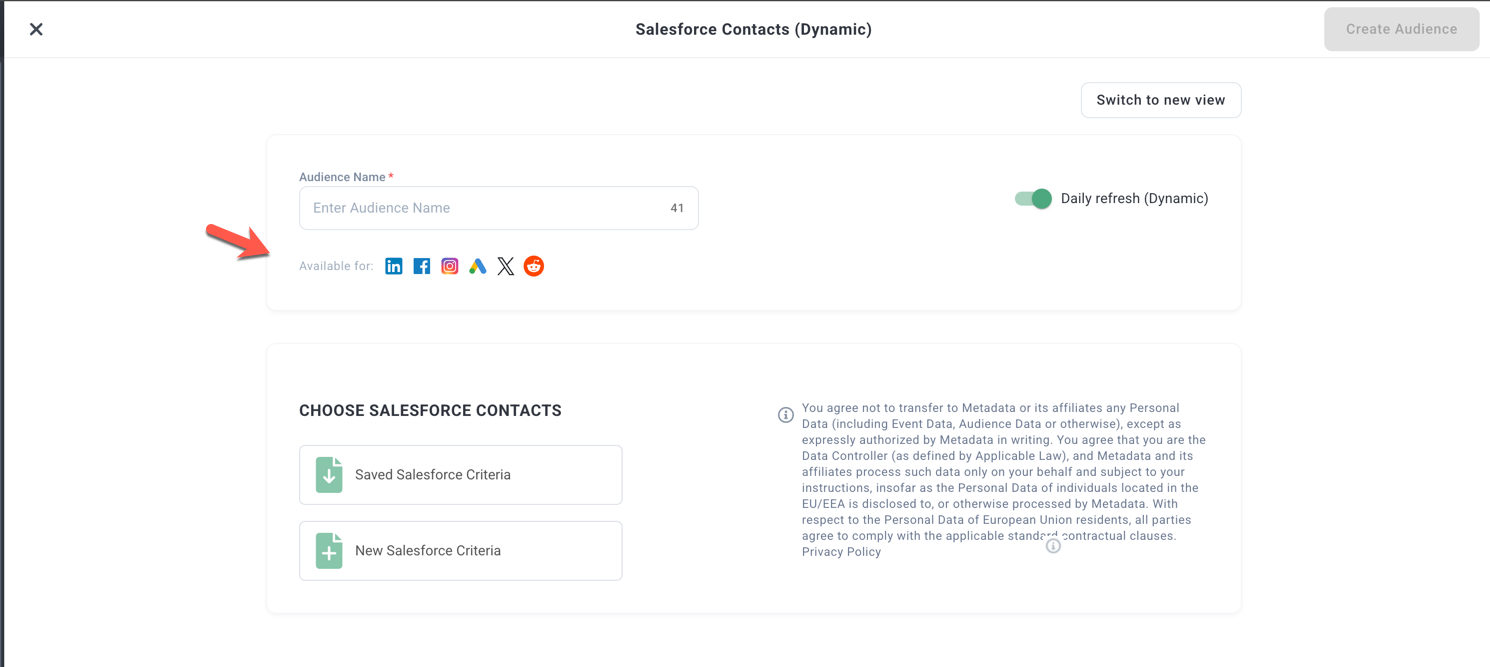
Which indicates the audience is available for LI, FB, IG, GA, X, Reddit.