What do these permissions help with
- Our support team can investigate technical issues natively in Microsoft Ads
- Our PMM team can do quality assurance, such as checking for ad disapprovals and billing issues. Also, assist you in doing manual workarounds.
- Your MSD can see what is happening on the native channel and can then assist you in creating re-targeting audiences.
Assign User Access in Microsoft Ads
- Log into your Microsoft Ads Account account here
- Select your Ad Account
- Under Settings go to User Management
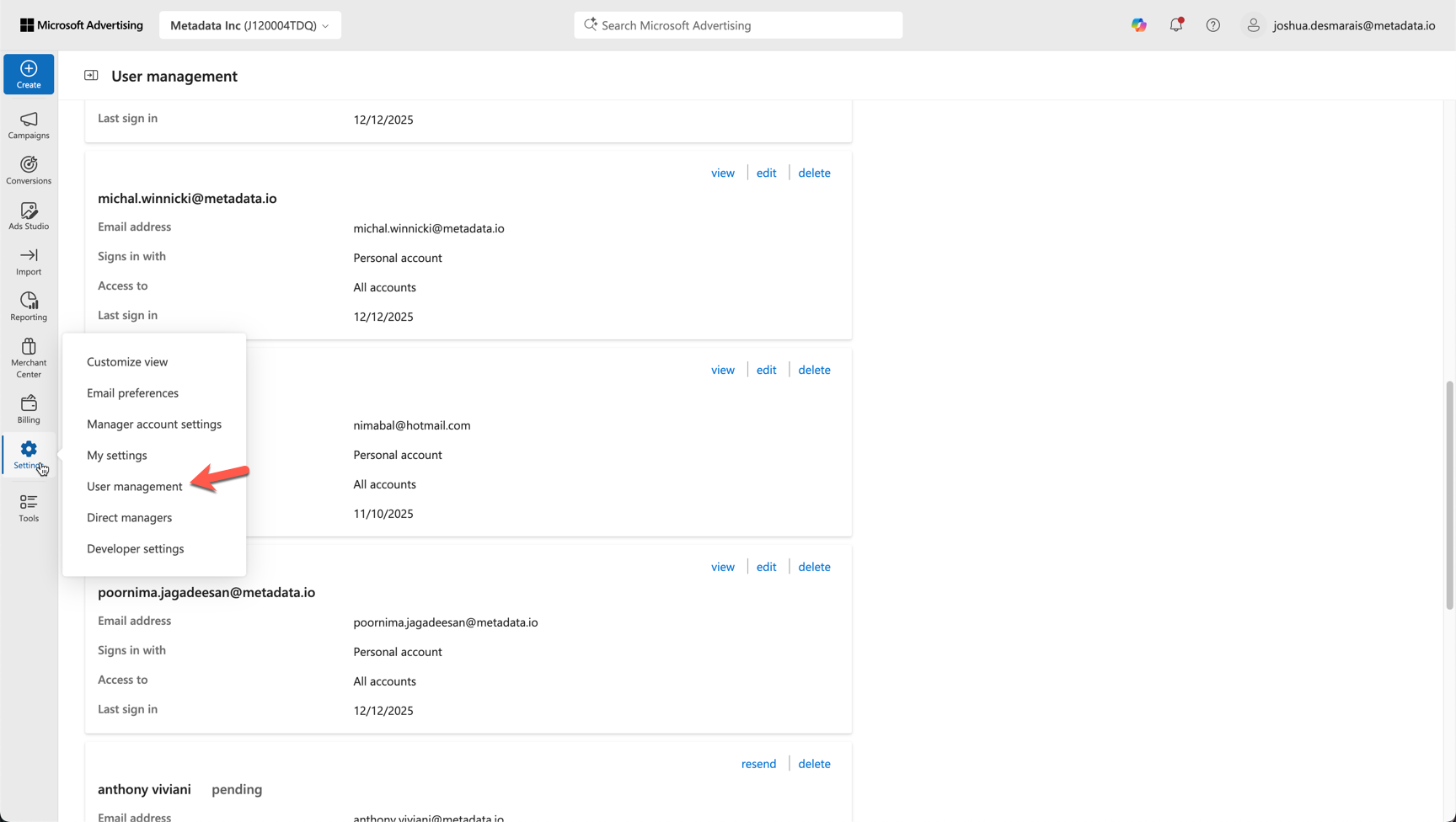
- Select Invite User
- Enter the email from Metadata team you wish to invite. Please note you should not invite any personal emails and it should always be a metadata team member you are inviting.
- Assign Role Advertiser Campaign Manager