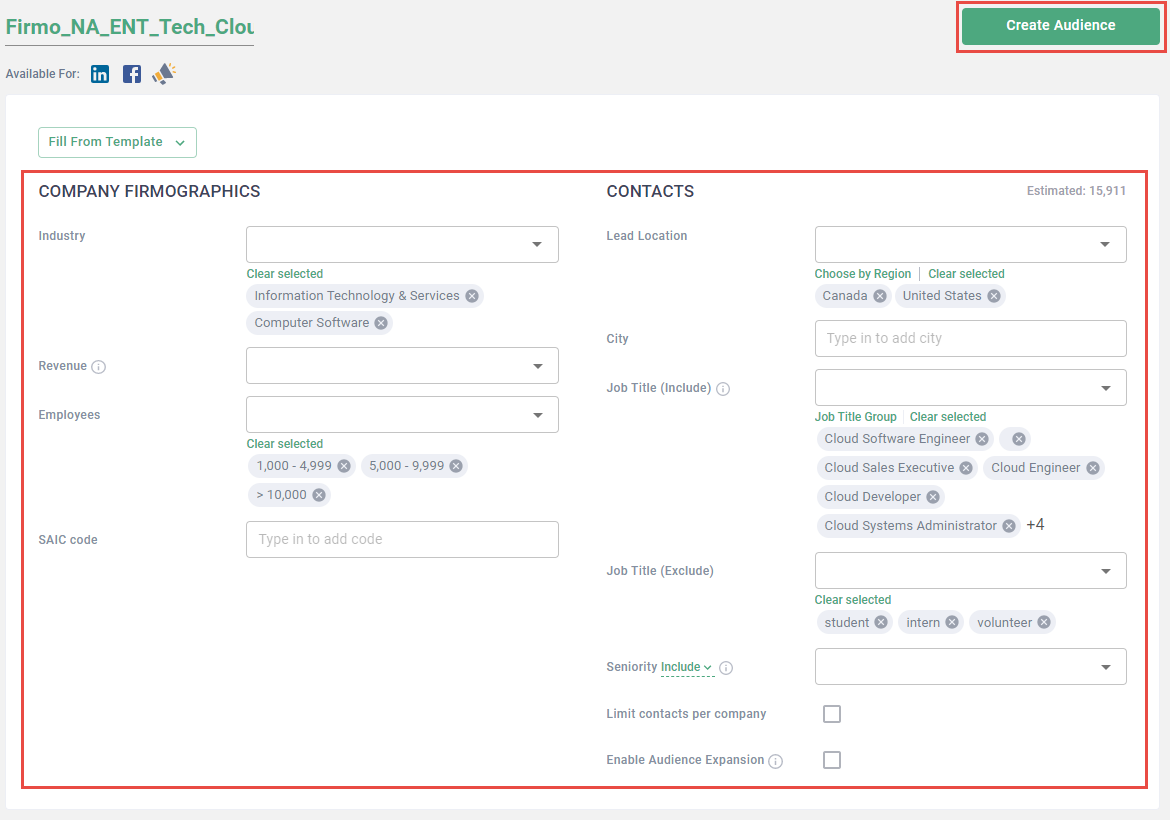
Create audience templates to quickly apply saved target persona and company details to new audiences.
Create audience templates
- Log in to the Metadata platform
- Click Audiences on the left navigation
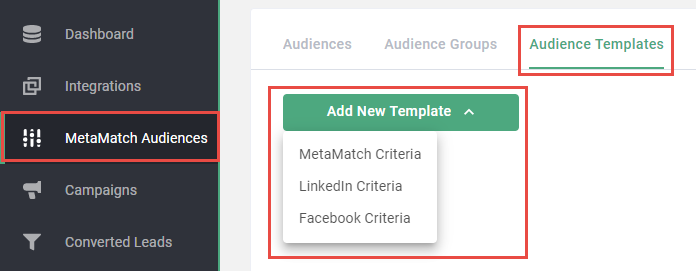
- Click Templates in the top navigation
- Click Add New Template
-
Select criteria type
Note: Audience templates can only be applied to their native audience, i.e. Metamatch > Metamatch, FB > FB, and Ln > Ln.
-
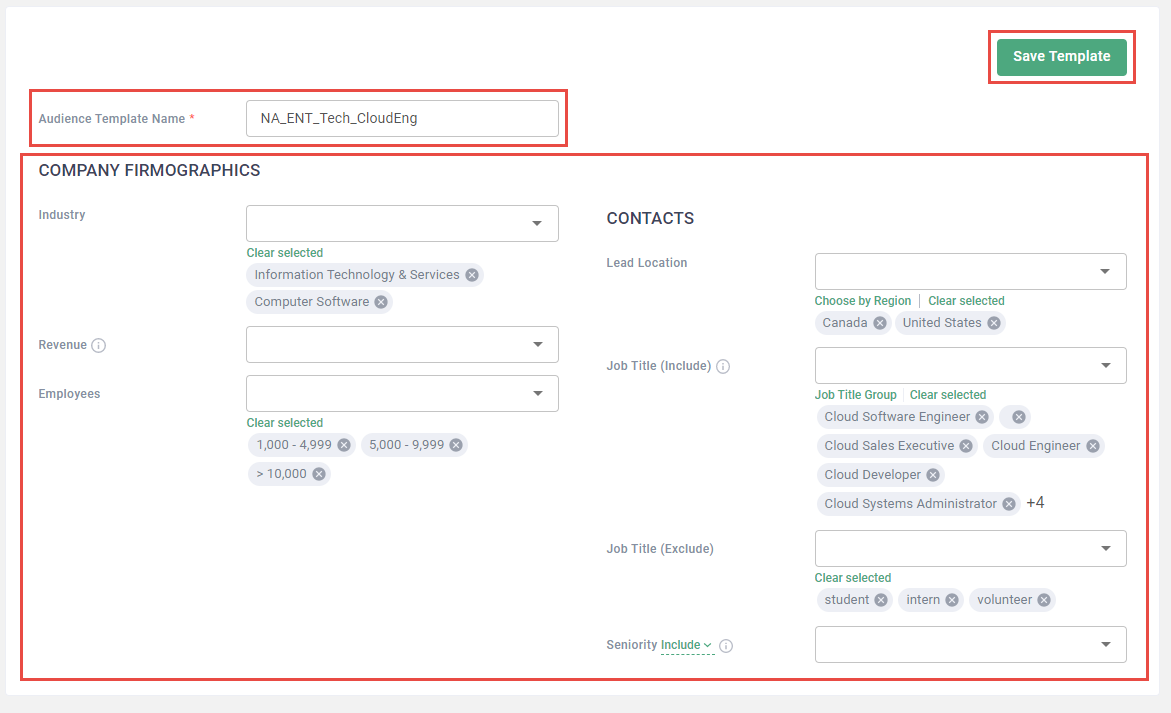
Enter Audience Template Name
Tip: Be clear in how you name audience templates. Consider the following template: AudienceCriteria. Example: NA_ENT_Tech_CloudEng.
- Update fields to reflect target persona and company details
-
Click Save Template
Apply audience templates
- Log in to the Metadata platform
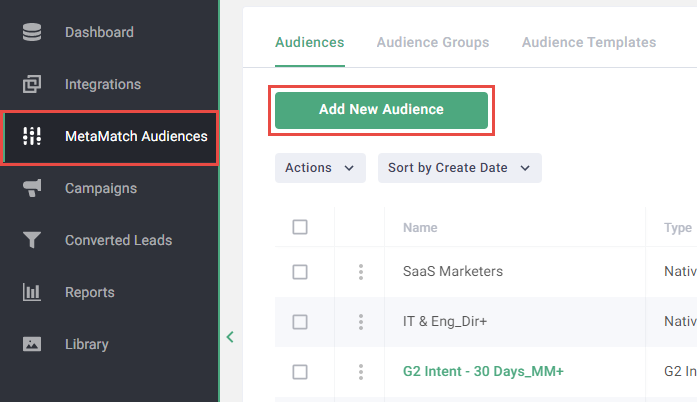
- Click Audiences on the left navigation
-
Click Add New Audience
- Select audience type
-
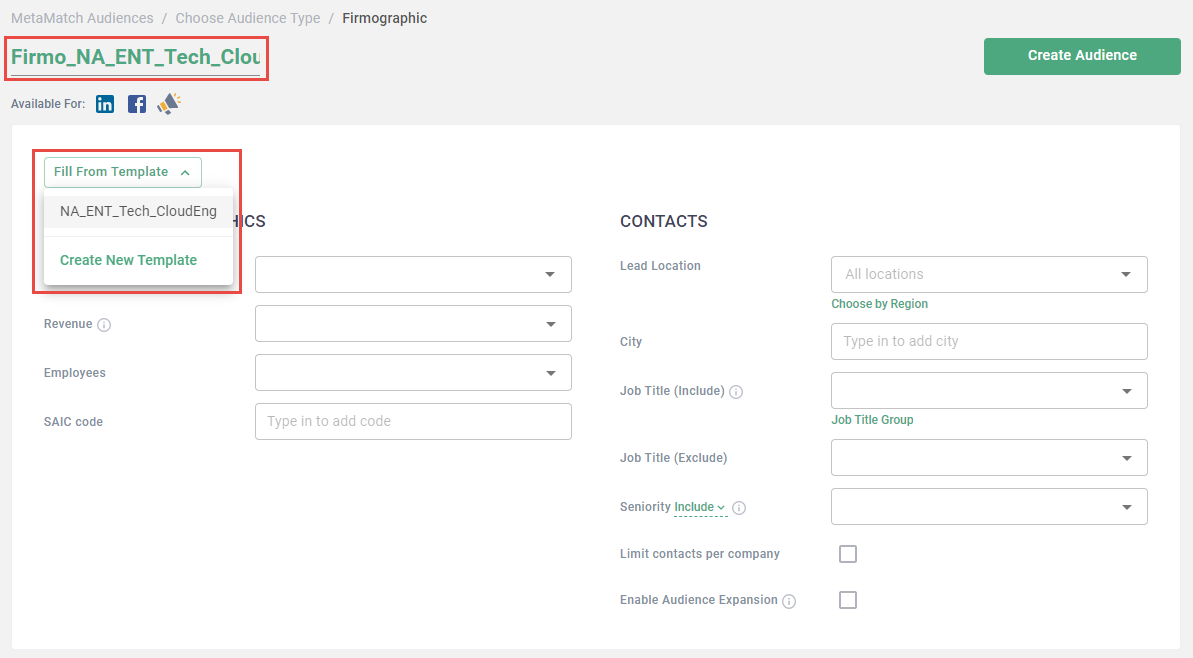
Enter audience name
Tip: Be clear in how you name audiences. Consider the following template: AudienceType_AudienceCriteria. Example: Firmo_NA_ENT_Tech_CloudEng.
- Click Fill From Template
-
Select template
Note: Repeat steps 6-7 to append additional saved audience criteria to the audience.
-
(Optional) Make any additional necessary updates to audience criteria
- Click Create Audience