All about: Ad Extensions
On this page
Read Best practices: Google Ads campaigns for practical tips on maximizing your success with Google Ads campaigns launched through Metadata.
Note: Currently, you can add up to 20 ad extensions to an ad.
Ad extensions help increase conversions and decrease CPC by increasing the relevancy of your ad to the search being performed.
Supported Ad Extensions
Sitelinks
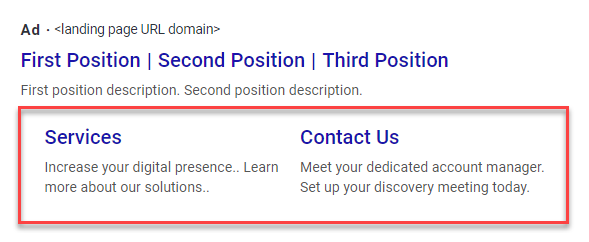
Sitelinks help improve conversion by providing quick links to key locations in your website (eg, case studies, pricing).
Callouts
Callouts help improve conversion by highlighting benefits of your product and services (eg, key advantages you have over your competition).

Structured Snippet
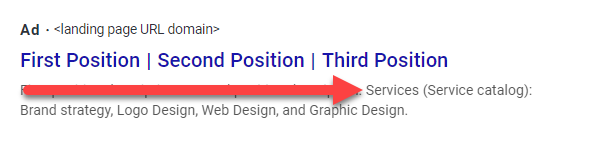
Structured snippets help improve conversion by highlighting specific aspects of your product and services (eg, service catalog).
Promotions
Improve conversion by highlighting offers such as discounts on products and services.

Prices
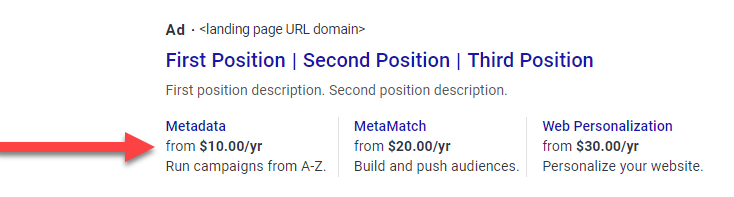
Improve conversion by highlighting prices that give you an advantage over the competition.
Account Level VS Campaign Level
Ad extensions can be applied at the account level or campaign level.
Account Level
Account level ad extensions are automatically added to all Google Ad campaigns.
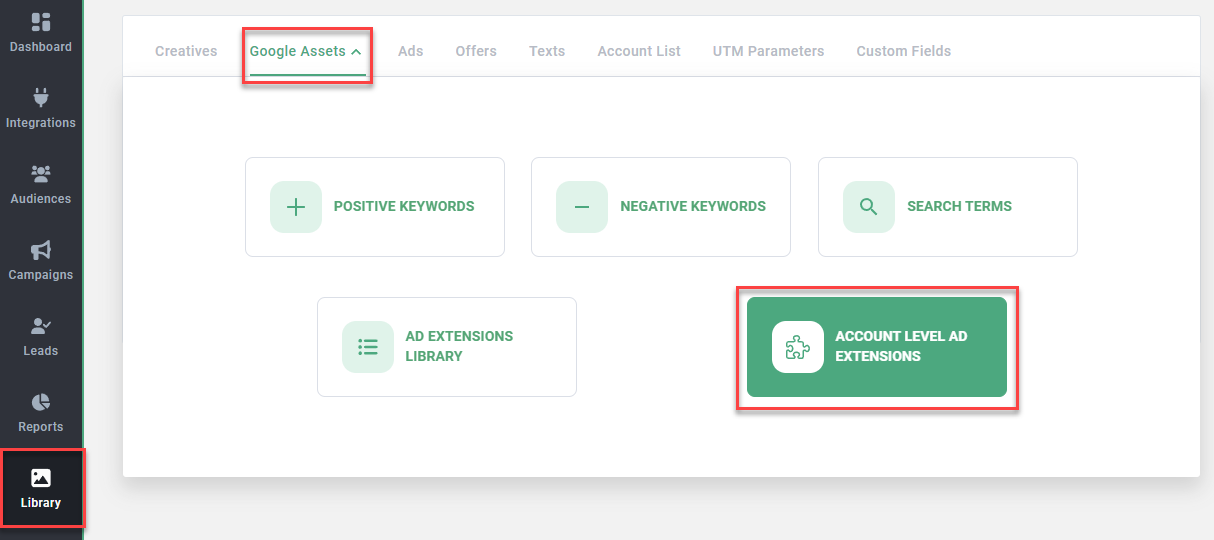
Go to Library > Google Assets > Account Level Ad Extensions to configure account level ad extensions.
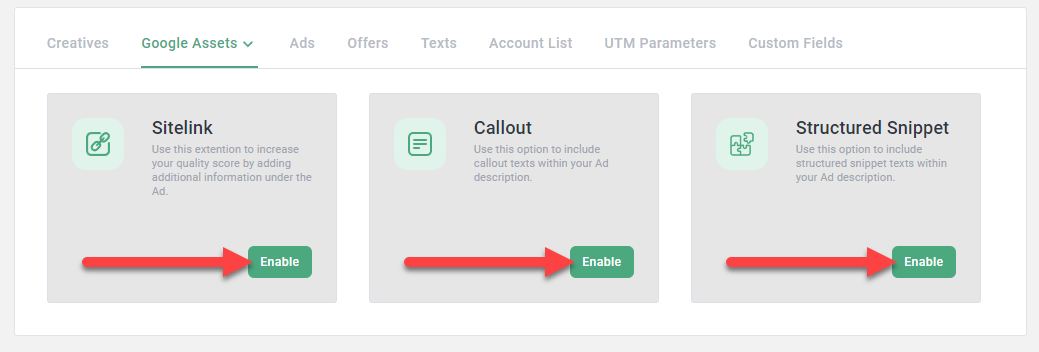
Click Enable for each ad extension type to begin adding your copy.
Campaign Level
Campaign level ad extensions replace account level ad extensions for select campaigns.
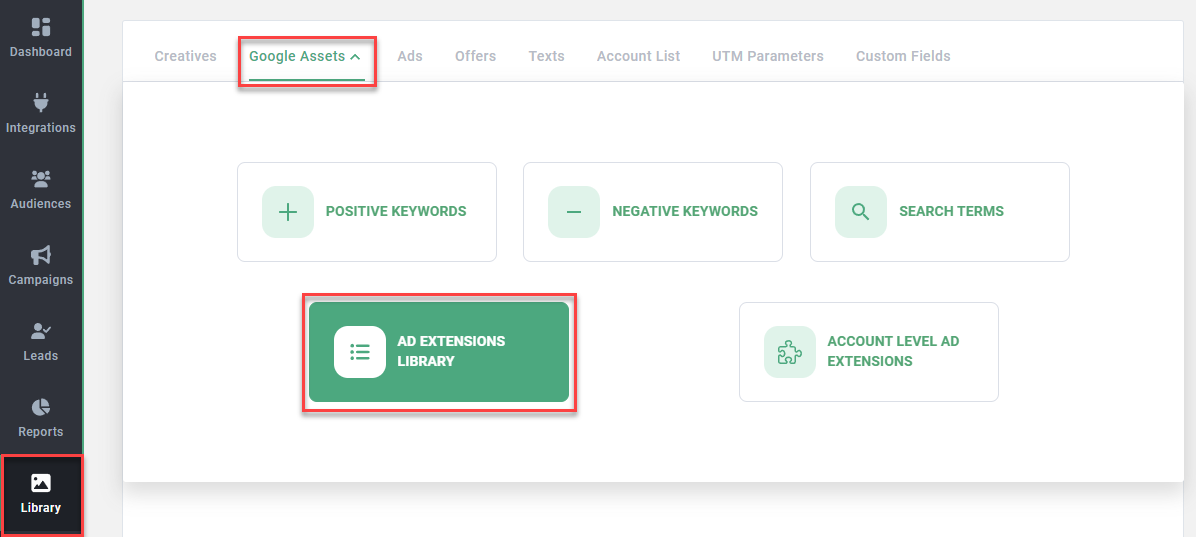
Go to Library > Google Assets > Ad Extensions Library to configure campaign level ad extensions.
Click Add New Extension to select the type of ad extension and add your copy.
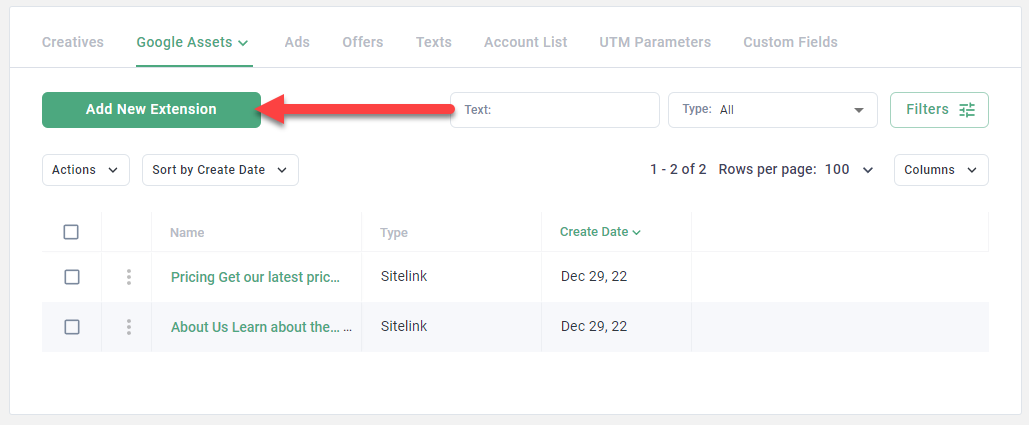
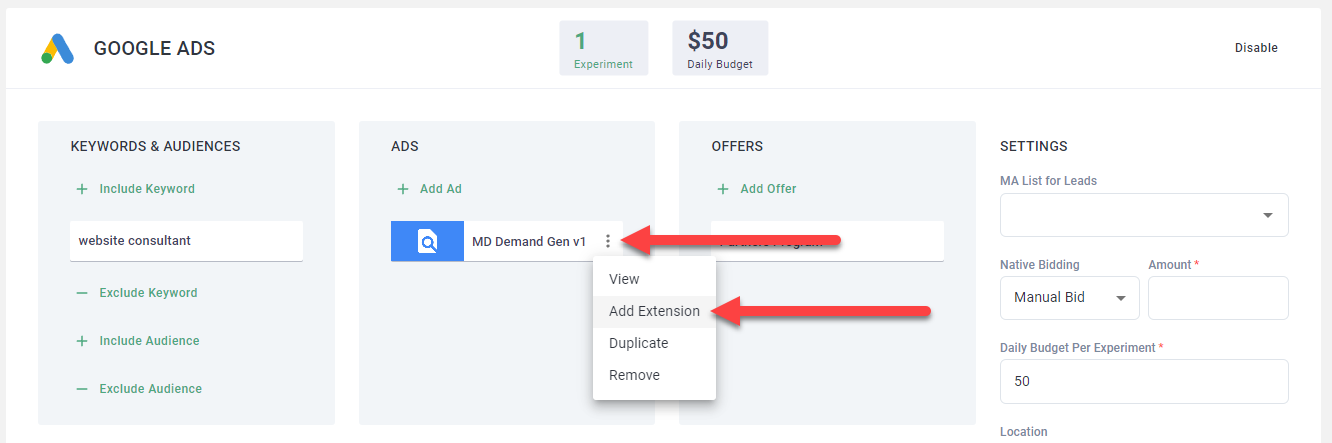
Add campaign level ad extensions to your campaigns using the ellipsis and Add Extension option.