
All about: Keyword Groups
Note:
- Read All about: Keyword Groups vs Single Keywords for differences between using Keyword Groups and single keywords.
- Read Best practices: Google Ads Campaigns for when to use Keyword Groups vs single keywords.
Launch Google Search campaigns with multiple keywords per ad group using Keyword Groups.
How do I add Keyword Groups?
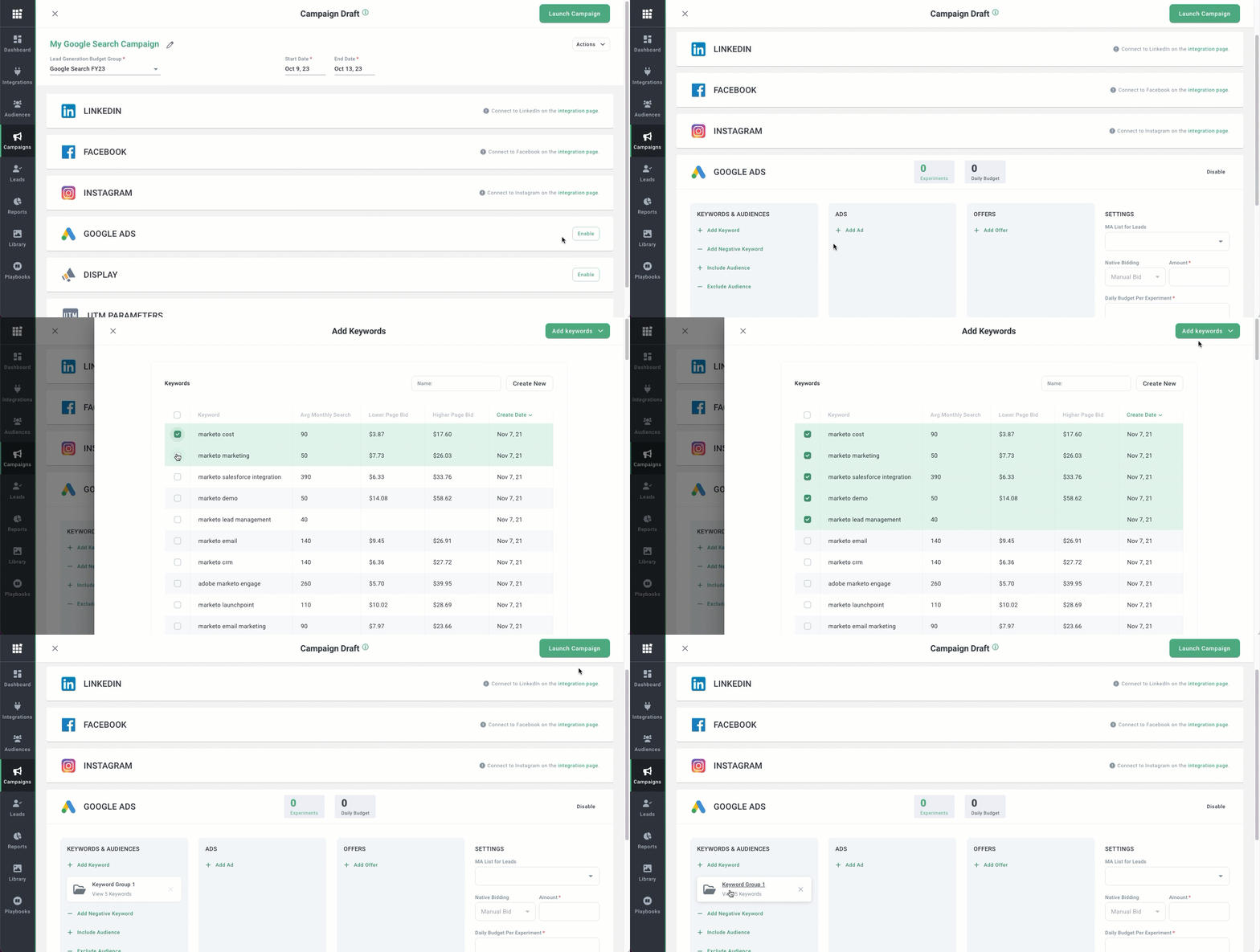
Keyword Groups can be applied when adding keywords to a Google search campaign:
Go to the Campaigns page.
Click the campaign you'd like to add Keyword Groups to.
Enable Google Ads.
Click + Add Keyword.
Select your keywords.
Click Add Keywords in the upper right.
Select Add as Group in the dropdown.
Repeat the steps above to add more Keyword Groups to your campaign.