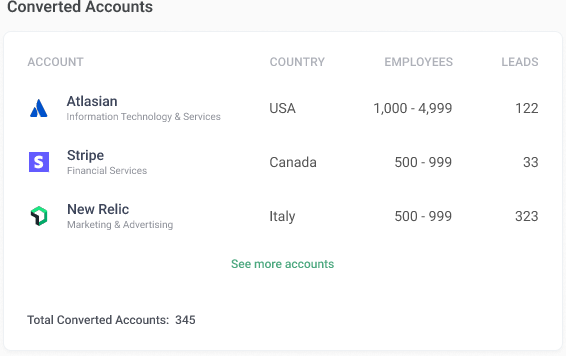
Enable Performance Digest to receive weekly or monthly insights about funnel, channel performance, quarter goals, triggered opportunities and converted accounts in your email inbox.
Enable Performance Digest
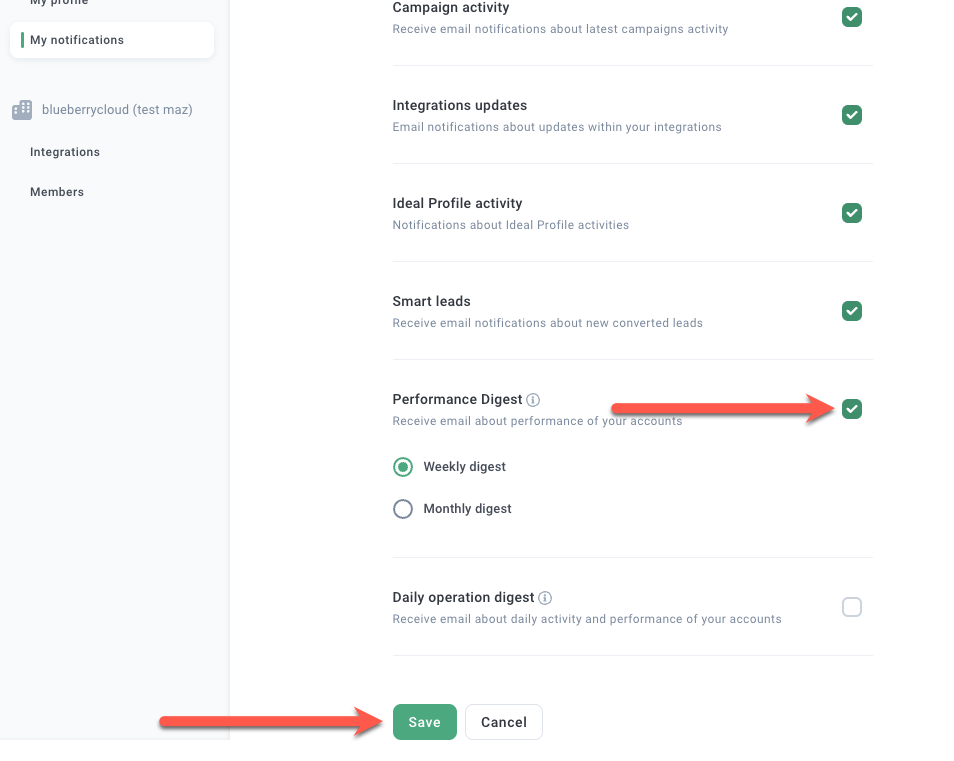
Click Settings in the bottom left hand side, then click My notifications.
Select the Performance Digest checkbox under Email Settings, and click Save.
Note: Performance Digest emails are sent at 11am UTC every Monday (weekly) and the first of every month at 11am UTC (monthly).
Add external recipients
Connect with your CSM to add external recipients to your Performance Digest email.
Funnel
Shows number of leads, MQLs and total amount associated with triggered opportunities created.
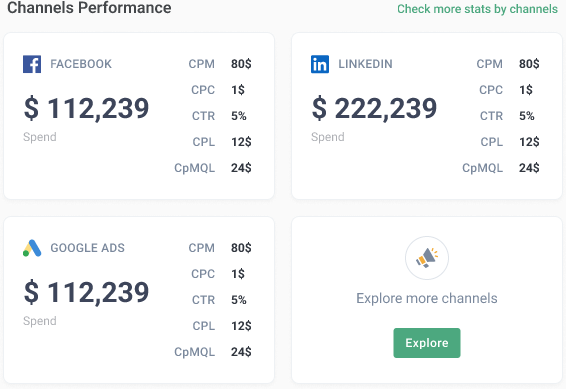
Channel Performance
Shows spend, CPM, CPC, CTR, CPL, cpMQL for each ad channel.
Quarter Goals
Shows progress for goals set in your Mutual Success Plan.
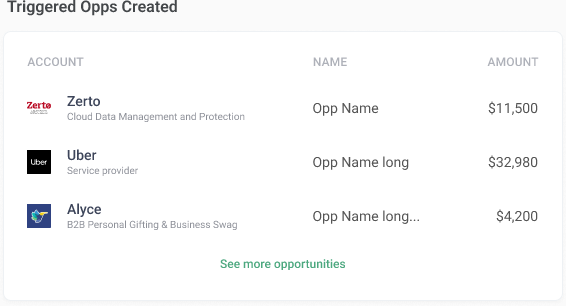
Triggered Opps Created
Shows your top five opportunities sorted by amount.
Converted Accounts
Converted Accounts shows your five most recent converted accounts.