Group audiences together and apply logic that broadens or narrows targeting using Target Groups.
Why Target Groups?
- Your single audience sizes are very small (as a guideline, under ~50,000) or very large (over ~200,000) making it too difficult or expensive to reach your target persona,
- Your target persona spans multiple audience types but you don't want to spend your budget testing single audiences.
Target Groups solve both problems by combining audiences and broadening or narrowing reach, and allowing budget to be allocated at the group level instead of the audience level.
What to consider
- Target Groups track and optimize performance at the group level, not the audience level.
Since the daily budget is shared across all audiences in your group, this means that you may be spending too much on audiences that are not performing well relative to others without being able to easily see this in the reporting.
How to create Target Groups
Go to the Audiences page.
Click the Target Groups tab.
Click Add Target Group.
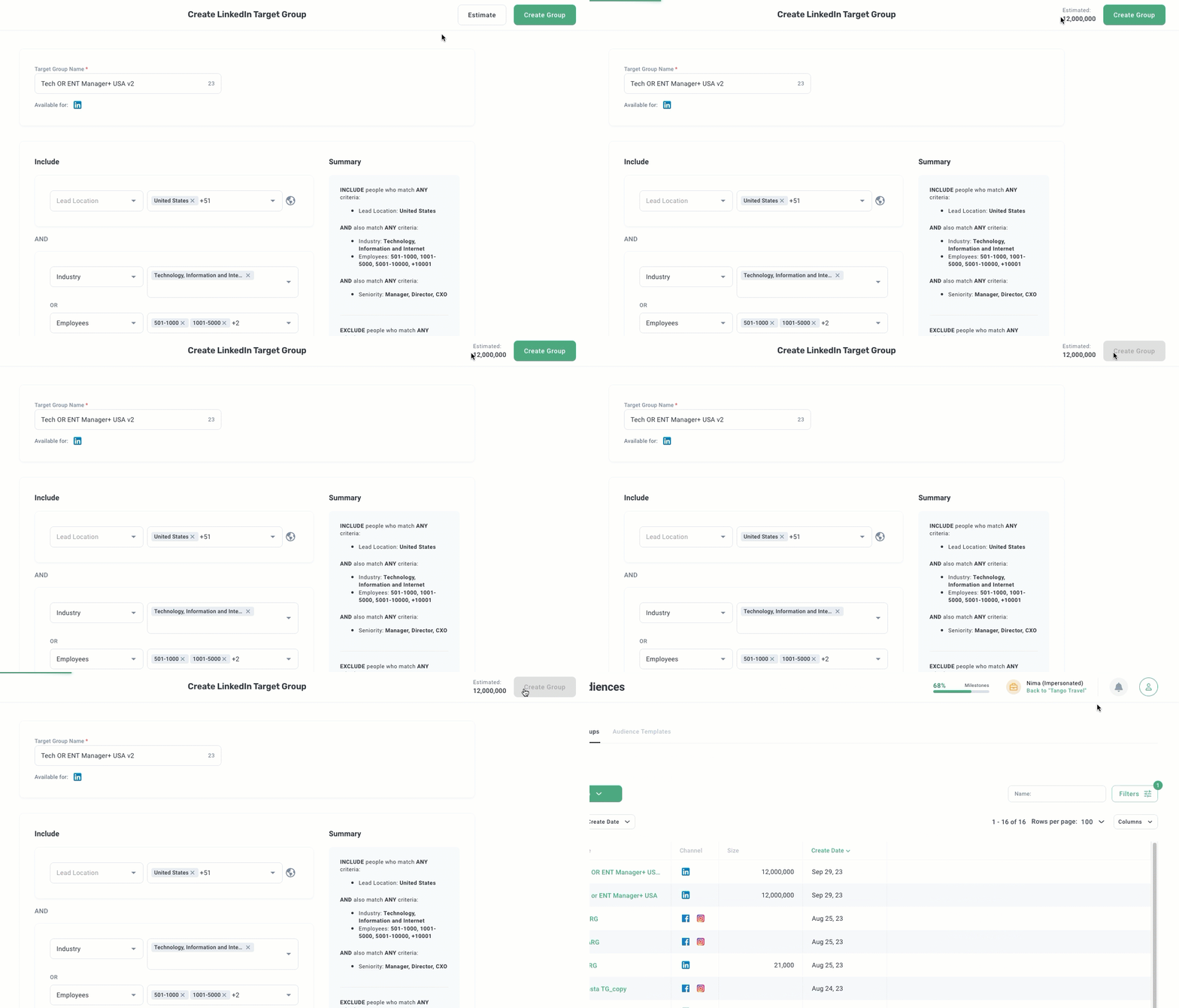
Choose LinkedIn Target Group or Facebook/Instagram Target Group.
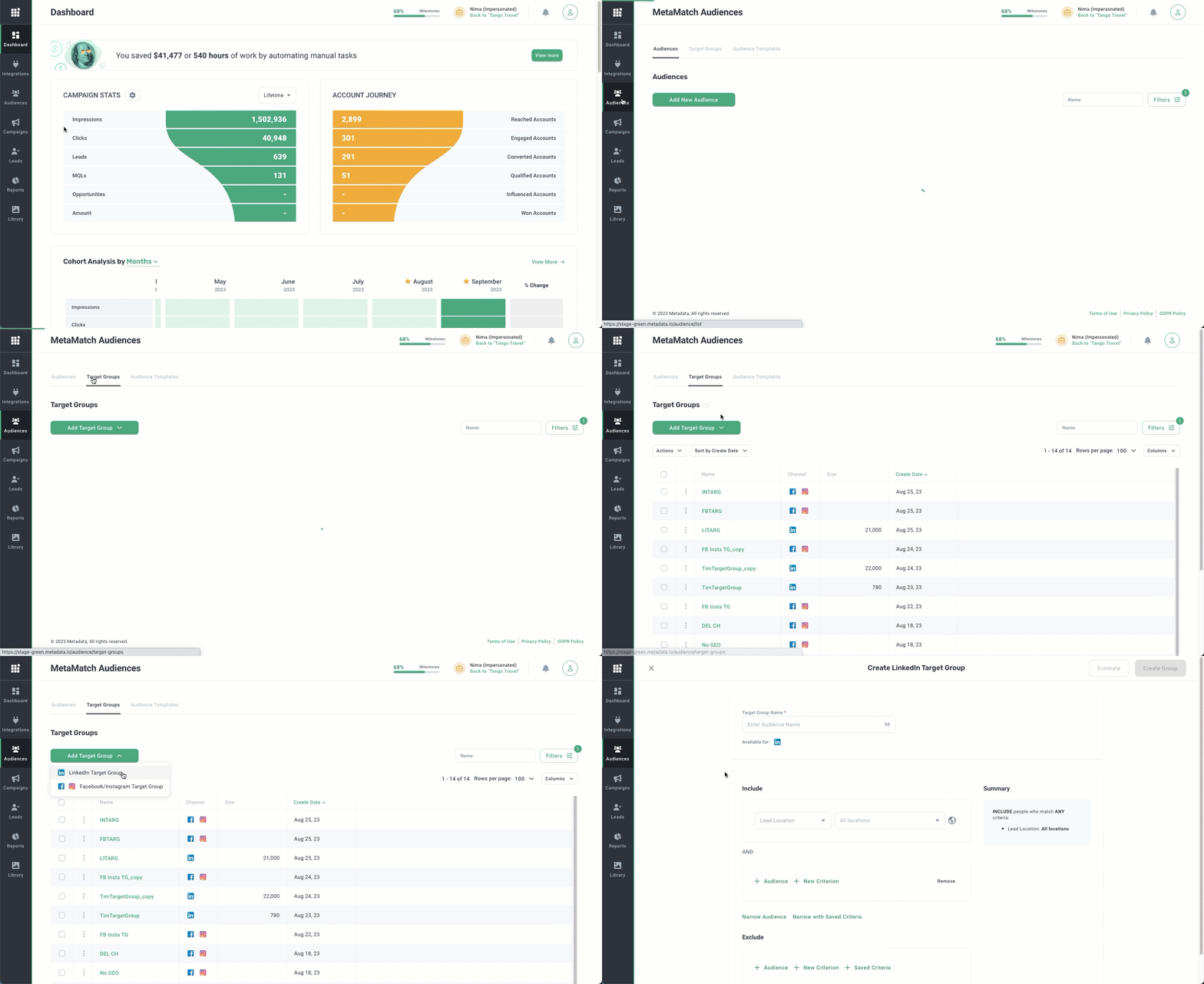
Enter the Target Group name.
Specify the target location(s) and age range (Facebook/Instagram only).
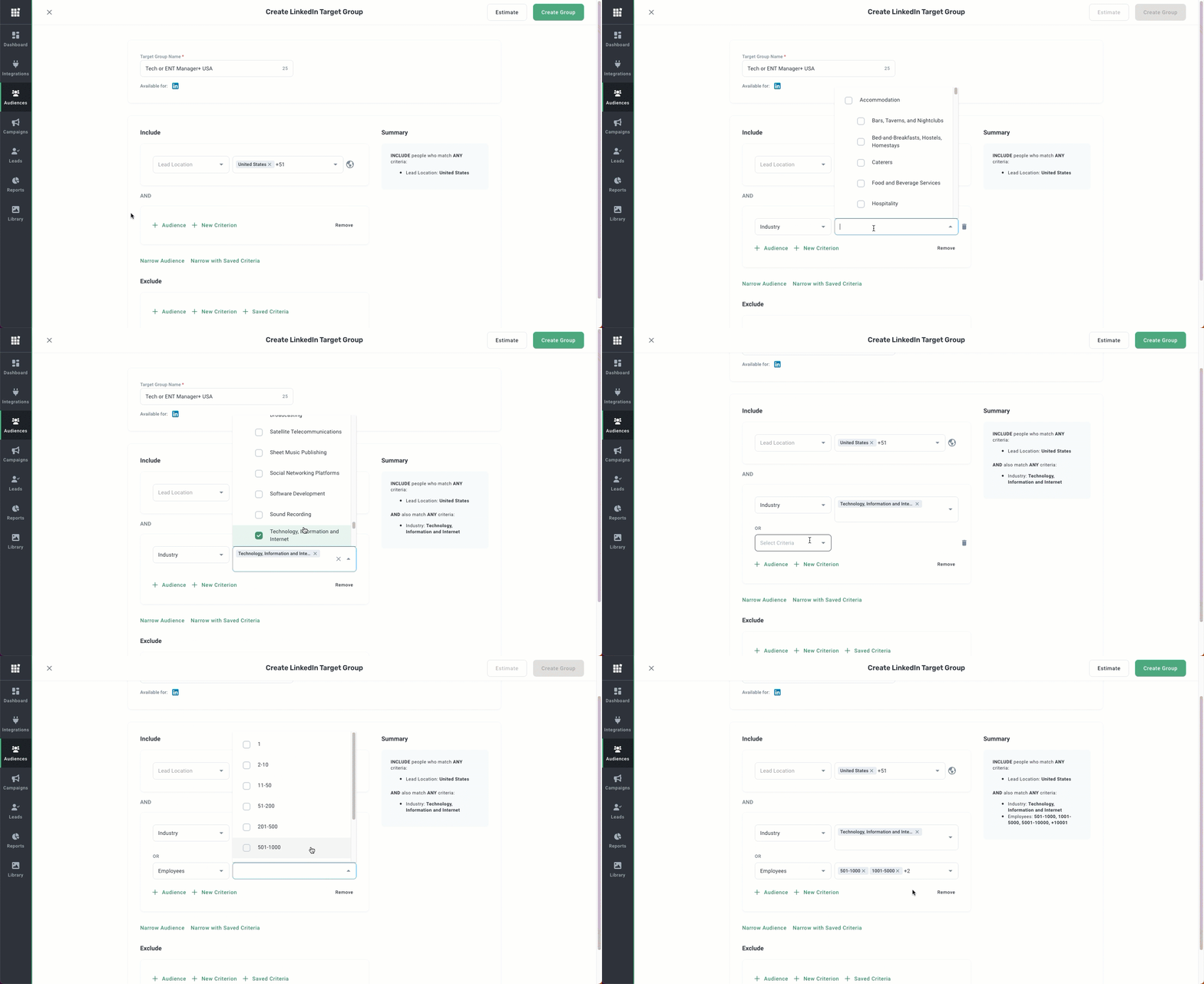
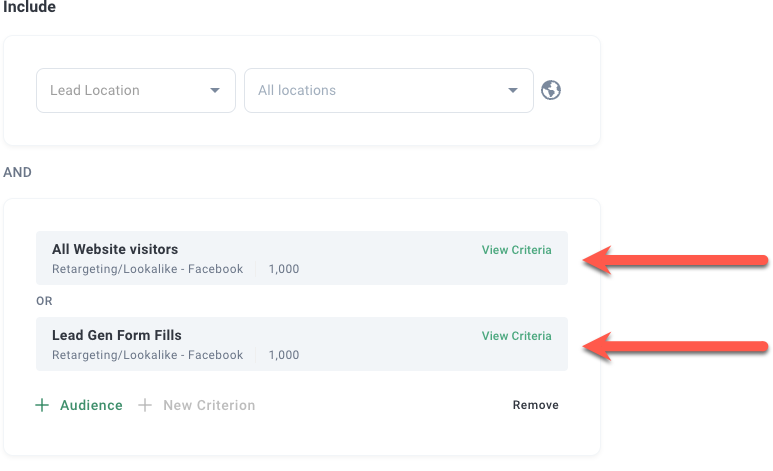
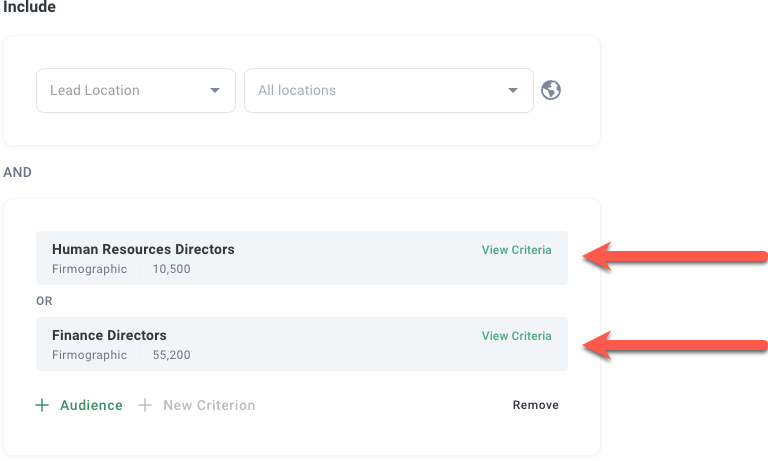
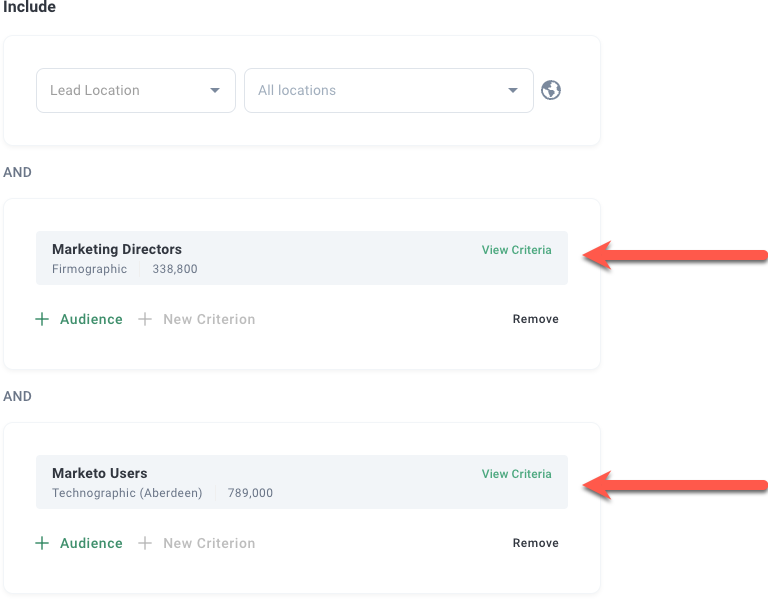
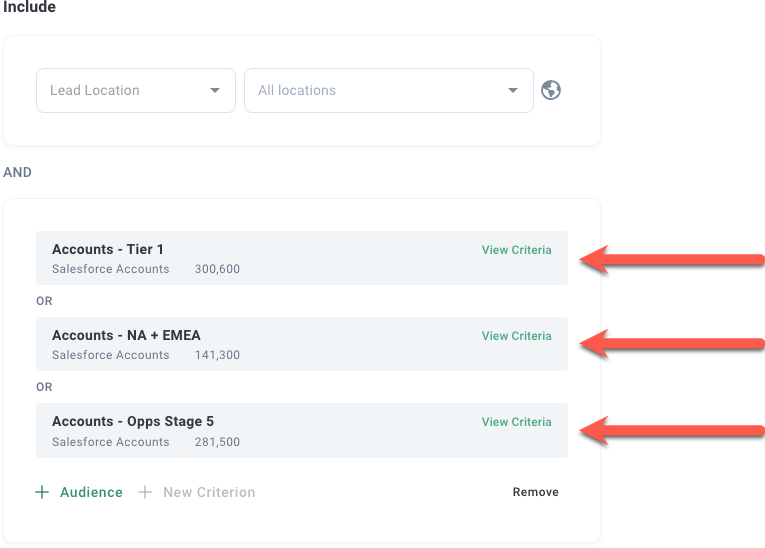
Broaden your reach by adding multiple audiences and criteria in each box (you'll see "OR" appear between the audiences and criteria you add).
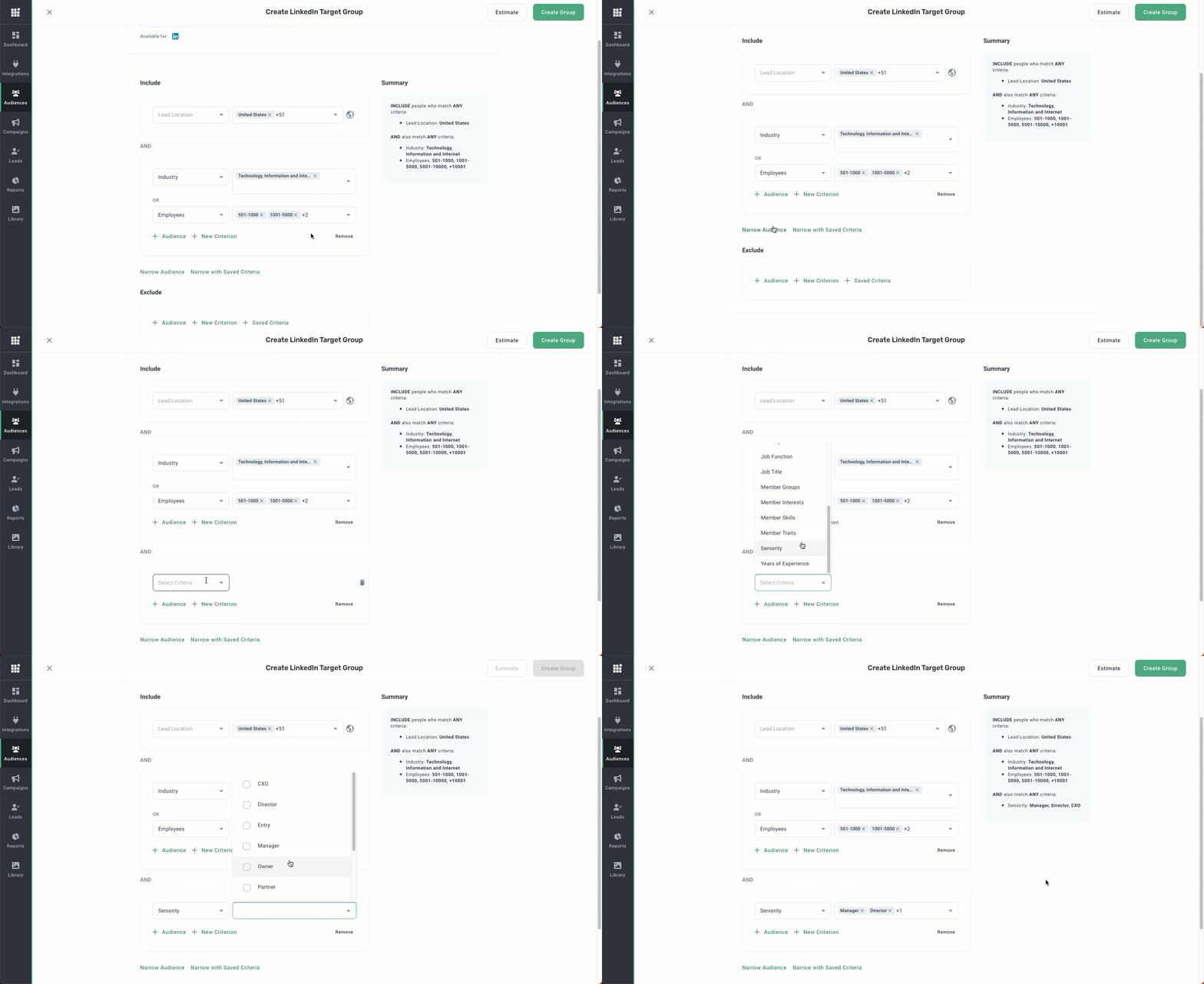
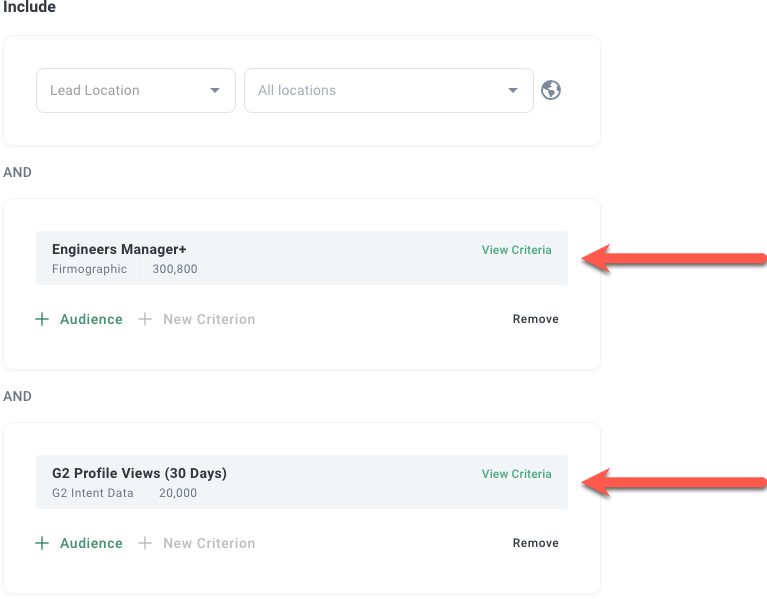
Narrow your reach by clicking Narrow Audience and adding audiences and criteria in the new box that appears (you'll see "AND" appear between the new box and old box).
Note: Narrow with Saved Criteria allows you to import criteria used in Native Criteria - LinkedIn and Native Criteria - Facebook audiences.
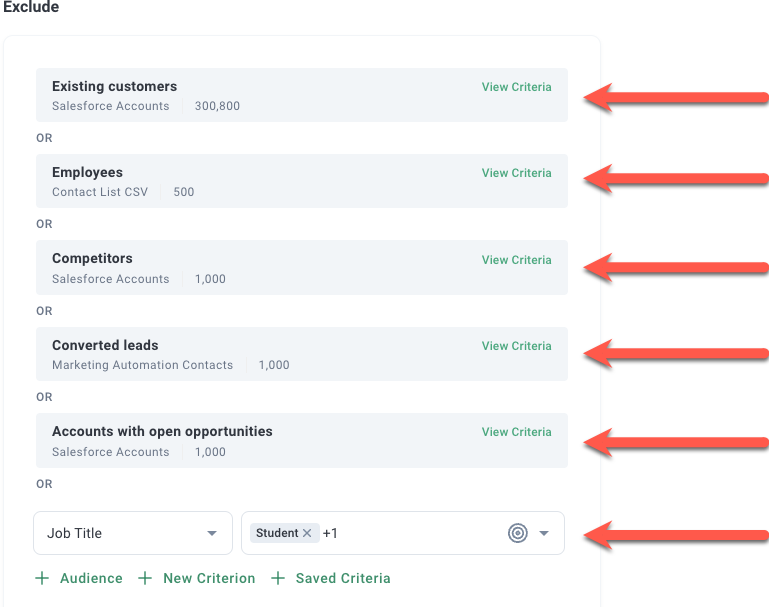
Exclude audiences and criteria to ensure the right contacts are served ads (eg, job title = student).
Click Estimate to review the audience size in the upper right.
Click Create to save your Target Group.
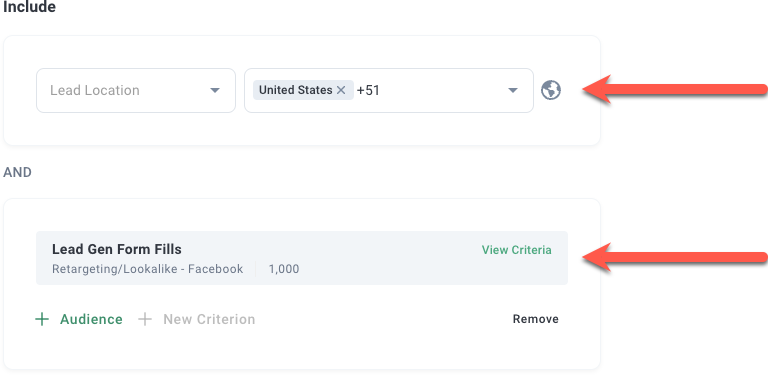
Real-life examples
Grouping specific geos with retargeting audiences.
Grouping retargeting audiences.
Grouping firmographic audiences to target multiple personas.
Grouping firmographic and technographic audiences.
Grouping Salesforce audiences.
Note: Read How to: Build Salesforce Audiences for more detailed information about Salesforce audiences.
Grouping firmographic and G2 intent data audiences.
Adding exclusion groups instead of audiences to campaigns.
Note: Read How to: Create Exclusion Audiences for more detailed information about exclusion audiences.