Customize the Campaigns View to quick highlight issues related to campaign performance.
Get started on the Campaigns page.
Click Columns in the upper right hand side.
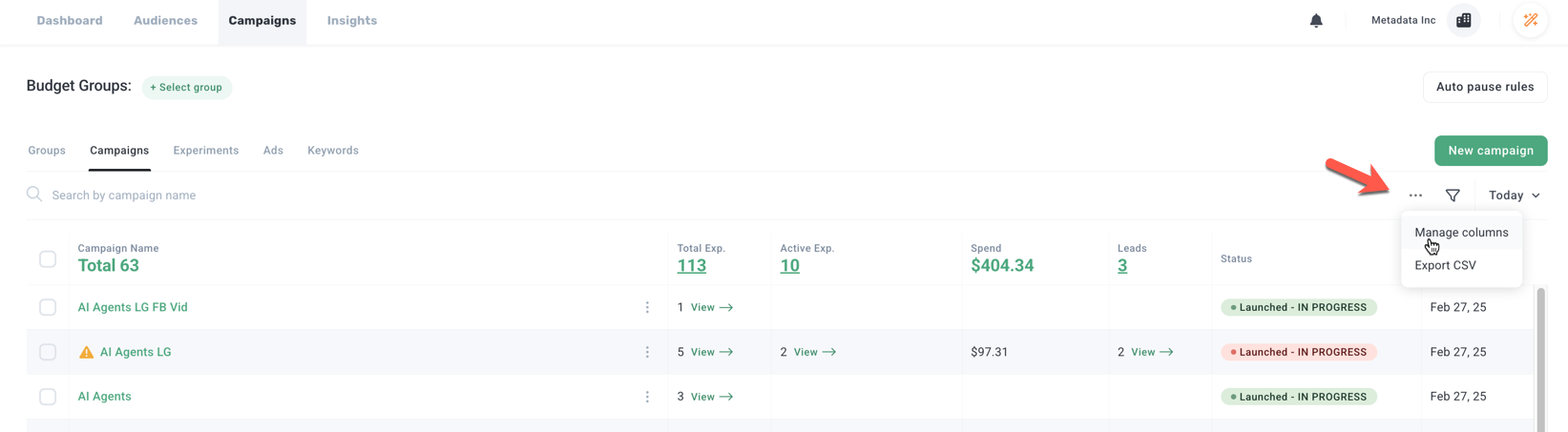
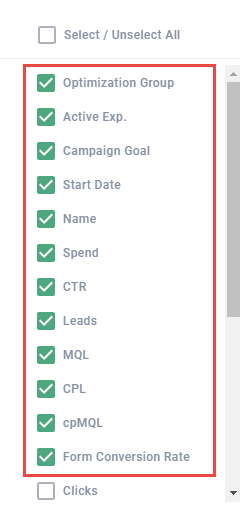
Enable and drag-and-drop Columns in this order:
- Optimization Group
- Active Exp.
- Campaign Goal
- Start Date
- Name
- Spend
- CTR
- Leads
- MQL
- CPL
- cpMQL
- Form Conversion Rate
Disable the rest of the fields.
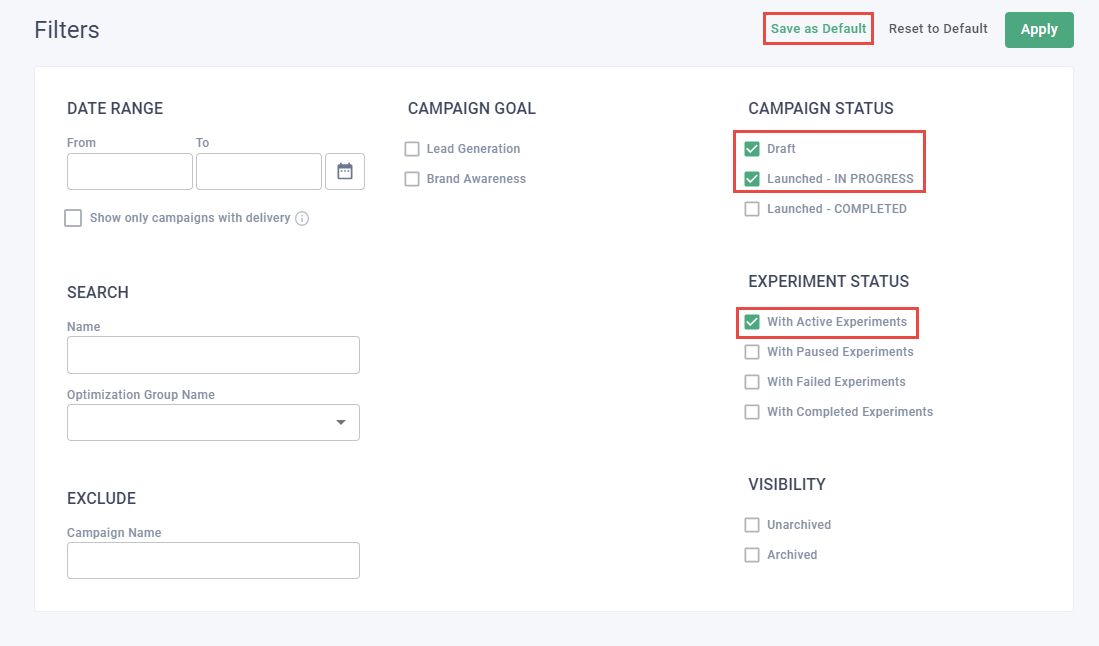
Click Filters in the upper right hand side.
Under Campaign Status, select Draft and Launched - IN PROGRESS.
Under Experiment Status, select With Active Experiments.
Leave all remaining fields blank.
Click Save as Default.
Way to go! Your customized Campaign View should help you quickly identify issues related to campaign performance.