This guide will walk you through how to exclude specific pages with Metadata site scripts.
Ensure you have the scripts installed on your website via Google Tag Manager or your tag manager of choice. In this example, we will be using Google Tag Manager.
Pre-requisites:
Install Site-Script (Lead tracking): All about: Lead Capture Script
Install Site-Insights: All about: Site Visitors Pixel
Step 1: Log into Google Tag Manager
Log into your Google Tag Manager and select the container for your website.
Step 2: Create a New Trigger
Choose Triggers and click New. Name the Trigger, for example "Excluded Pages".
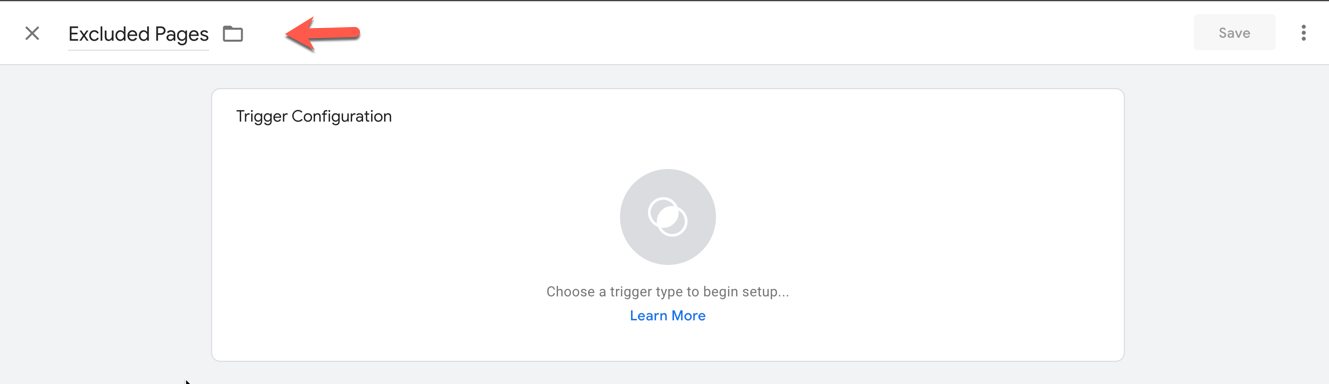
Step 3: Edit Trigger Configuration
Edit the Trigger Configuration by clicking the pencil icon.
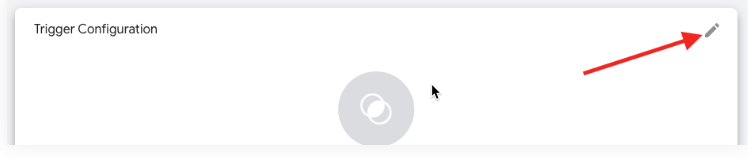
Step 4: Configure the Trigger
Choose the trigger type as Page View, select Some Page Views, and enter the page URL of your choice.
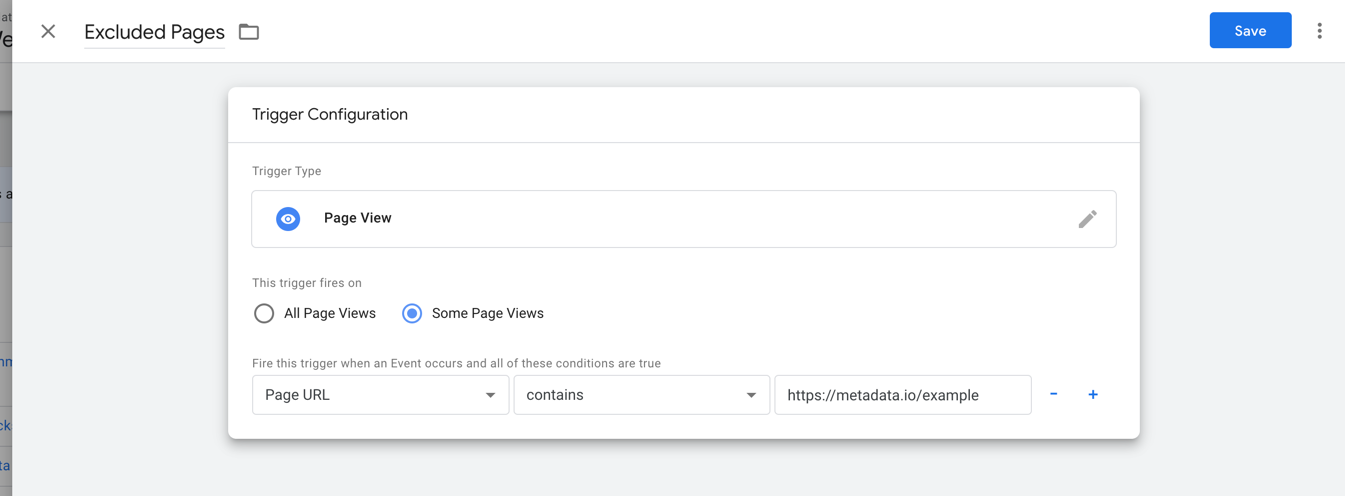
*Note: Each page would need its own trigger. If you need to add multiple save each as its own Trigger.
Step 5: Apply the Trigger to Site Scripts
Save the trigger, then navigate to Tags and open the site script that you will be applying this trigger to.
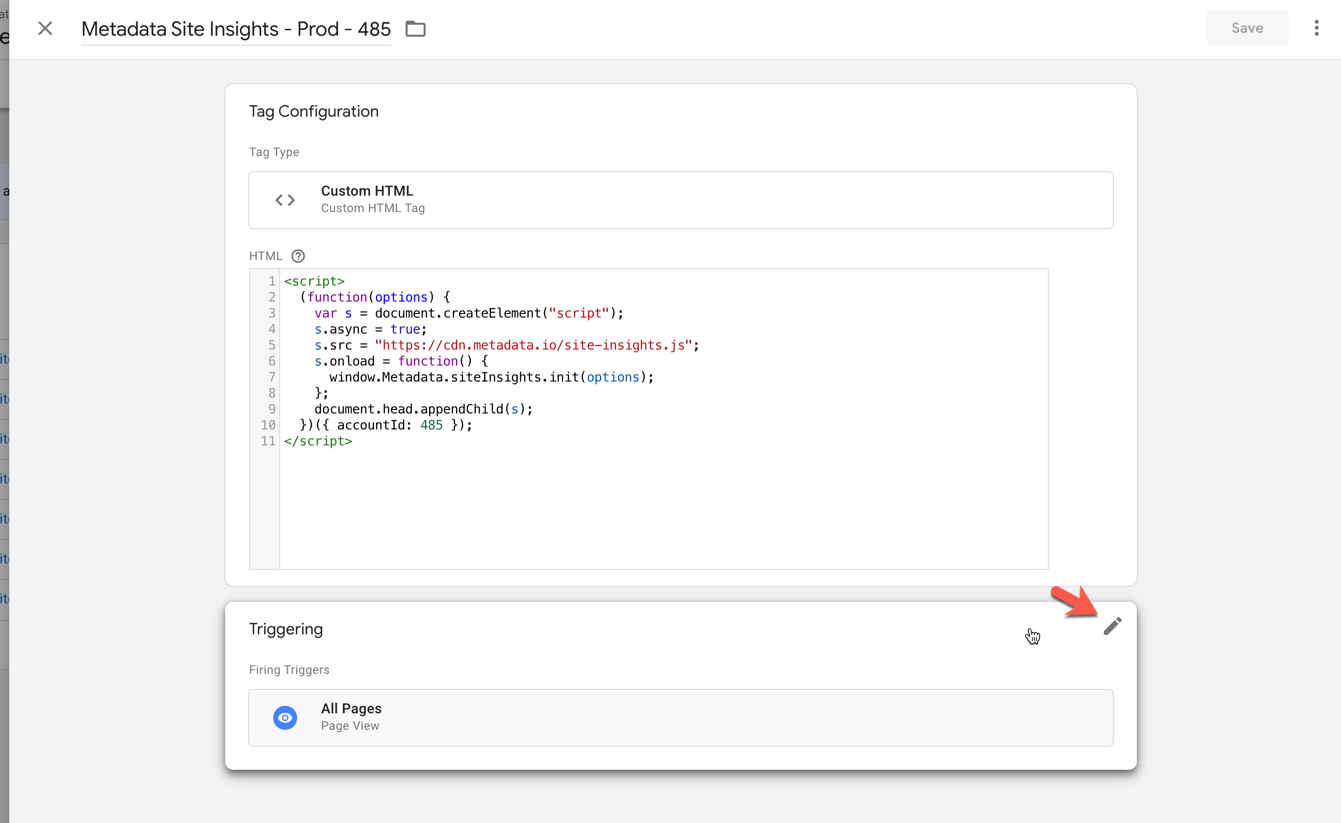
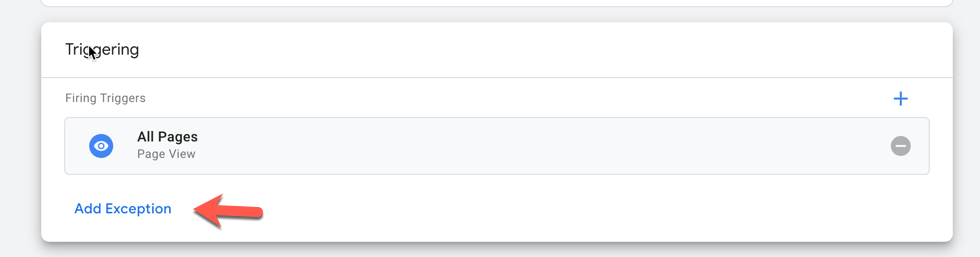
Step 6: Add Exception
Click Add Exception and choose the Trigger you just made for Excluded sites.
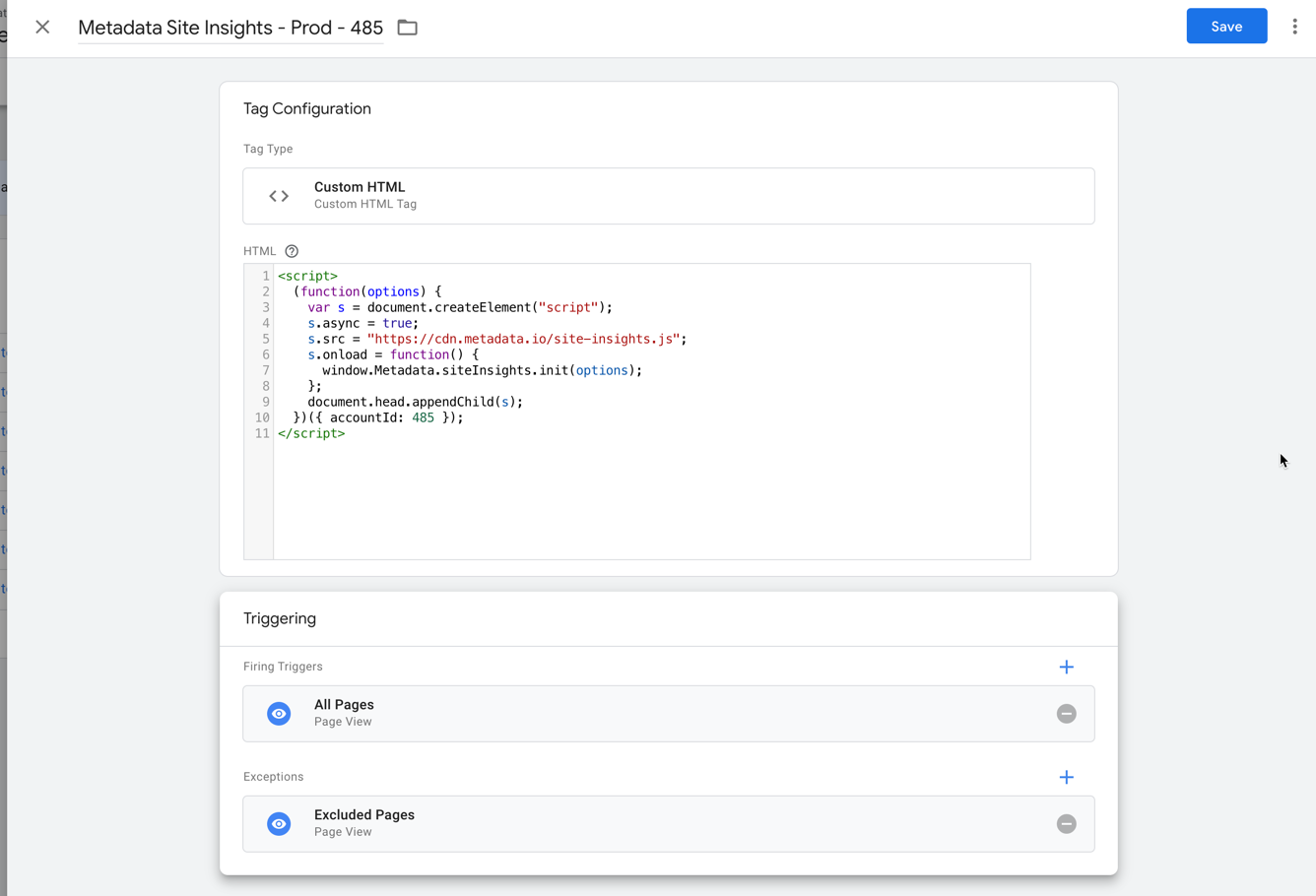
After adding the exception click Save.
Step 7: Publish Changes
Click Submit (top right) and publish the changes to your website.
