Prerequisite: This functionality only applies to accounts that have Metadata Insights enabled. If you don't see this functionality but you're interested in it, please reach out to your MSD for more details.
Get insights about specific accounts that are visiting your website using the Site Visitors pixel.
Copy the Site Insights Script
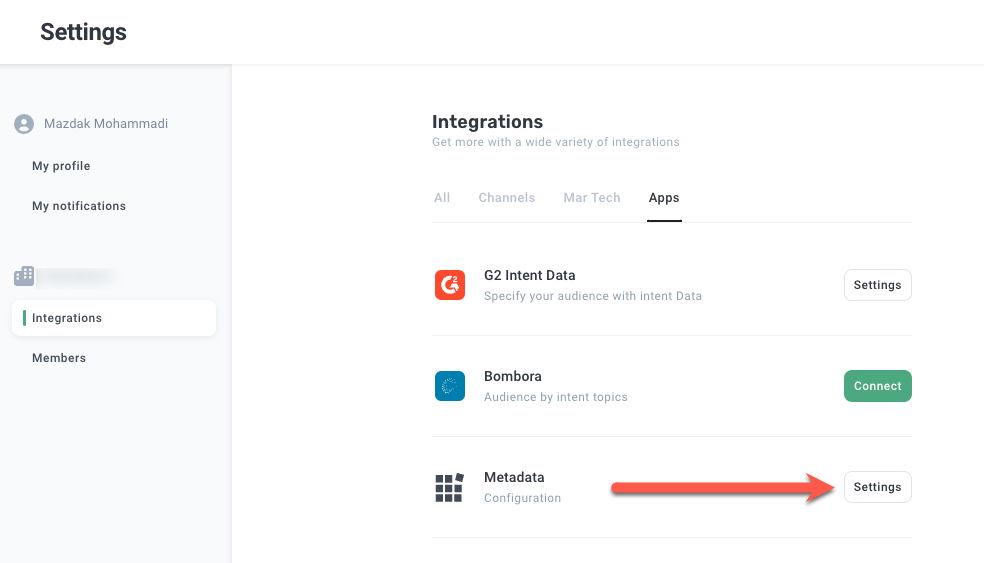
Click Settings in the bottom left hand side, and click Integrations.
Click Settings in the Metadata box.
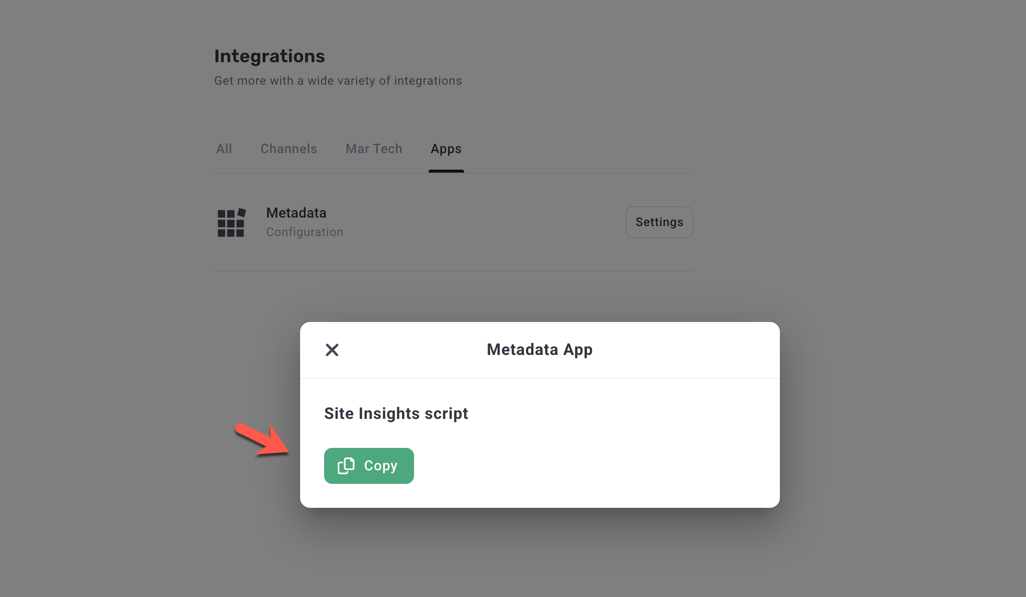
Click Copy under Site insights script.
What the script looks like:
<script>
   (function(options) {
     var s = document.createElement("script");
     s.async = true;
     s.src = "https://cdn.metadata.io/site-insights.js";
     s.onload = function() {
       window.Metadata.siteInsights.init(options);
     };
     document.head.appendChild(s);
   })({ accountId: ACCOUNT_ID_GOES_HERE });
</script>*Important: Please make sure to copy the script from the Metadata platform as the accountID variable in the script is unique to your account.
Also, please note for Trial customers you may see an error (403) in the console after placing the script on your website which is due to having no folder on CDN storage. Once you become a full paying customer this error will resolve itself.
Deploy the Site Insights Script
Deploy the Site Visitors script across all pages directly in your website code or using a tag manager (eg, Google Tag Manager).
Please note once the script has been deployed to your site it can take upwards of 2-3 days for data to start showing in your report.
Verify the Site Insights Script installation
Navigate to the domain where you installed the script.
Open the elements of the page (right click -> inspect) and search for metadata.io/site-insights.js:
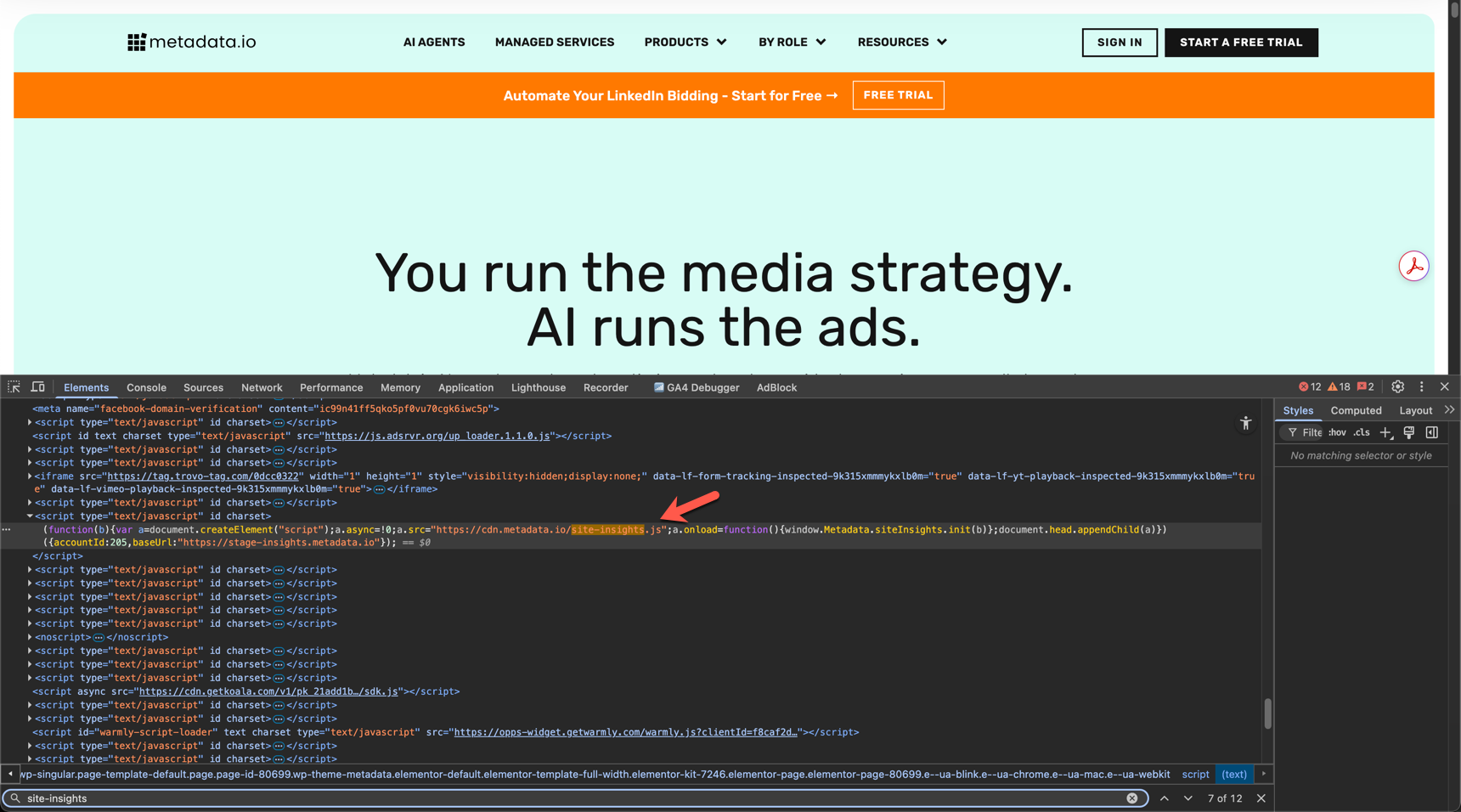
If you find the script in the elements it has been successfully installed.
Open the network tab and refresh the page and search for traffic:
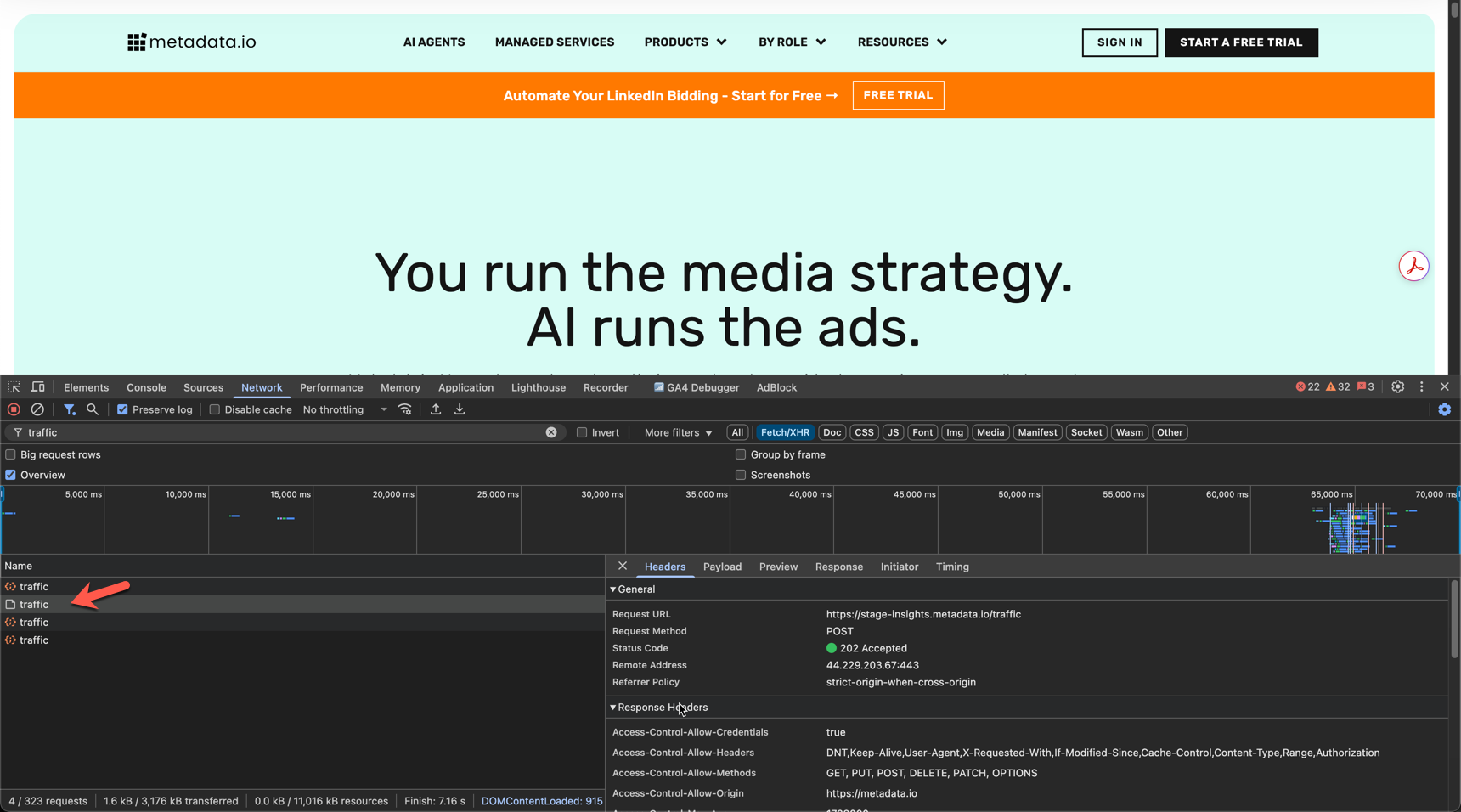
If you see the endpoint traffic being successfully posted this means the script has been successfully installed and is triggering.
Are cookies used?
|
Cookie name |
Description / Usage |
Expiration |
Provenance |
|---|---|---|---|
|
Metadata_session_id |
Stores in the cookie the session ID of the visitor on the page. Used to track the number of sessions a specific account has on the site, serving as an indicator of account engagement. |
|
Third-party |
|
Metadata_visitor_id |
Stores in the cookie the visitor ID of the visitor on the page. Used to understand how many unique visitors from the account are coming on the site. Multiple visitors from the same account or returning visits from the same person are used as engagement signals. |
|
Third-party |
View Site Insights Report
Go to Spotlight > Journey.