How to: Create Negative Keyword Lists
Read Best practices: Google Ads campaigns for practical tips on maximizing your success with Google Ads campaigns launched through Metadata.
Get the most relevant searches using up-to-date negative keyword lists.
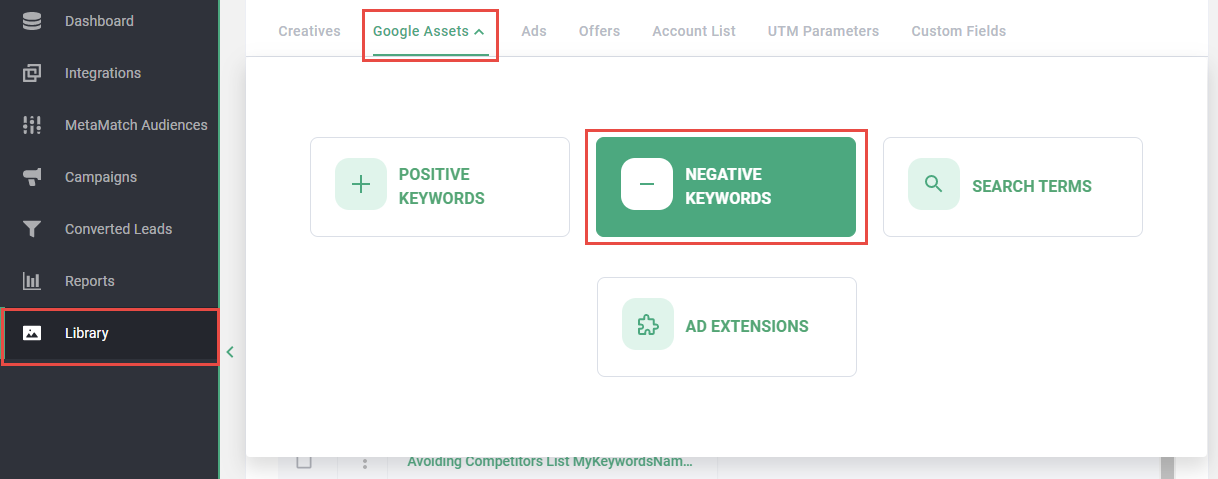
- Click Library on the left navigation
- Click Google Assets in the top navigation
- Click Negative Keywords
- Click Add New List
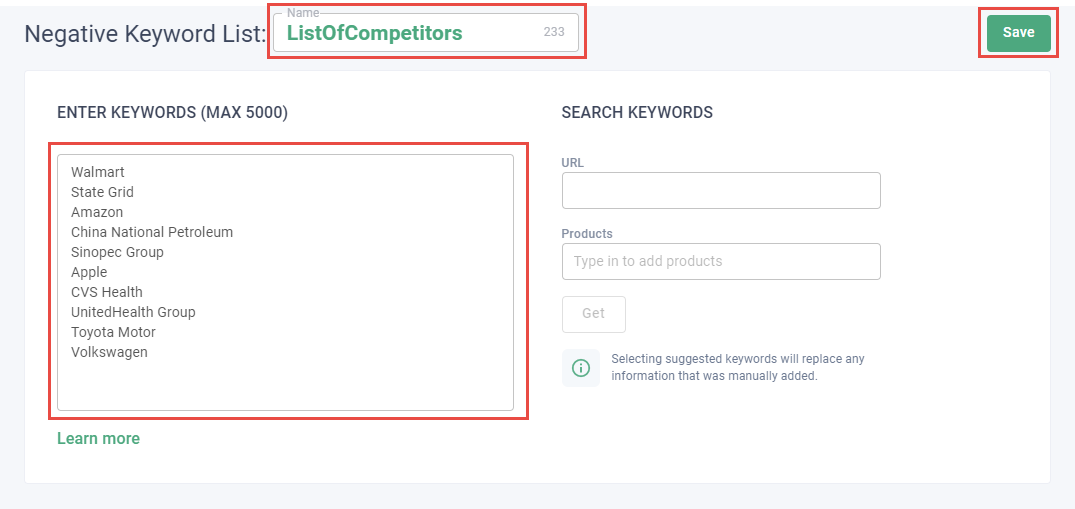
- Enter a Name
Tip: Be clear in how you name your negative keyword list. For example: ListOfCompetitors.
- Enter URL or Products and click Get to generate keyword suggestions
Note: Use with caution because suggested keywords will overwrite any keywords you've entered manually.
- Enter negative keywords in the Enter Keywords field
Tip: Add keywords that are likely to waste budget such as "free", "careers" and other keywords that people without buying intent would use to search for your organization.
- Click Save