How to: Create Search Ads
Read Best practices: Google Ads campaigns for practical tips on maximizing your success with Google Ads campaigns launched through Metadata.
Use 15x headlines, 4x descriptions and dynamic keywords to find the best performing variation.
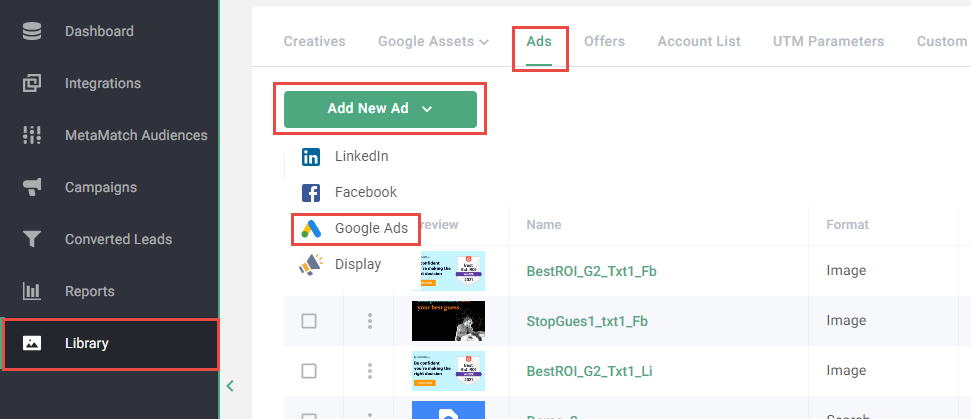
- Click Library on the left navigation
- Click Ads in the top navigation
- Click Add New Ad
- Select Google Ads
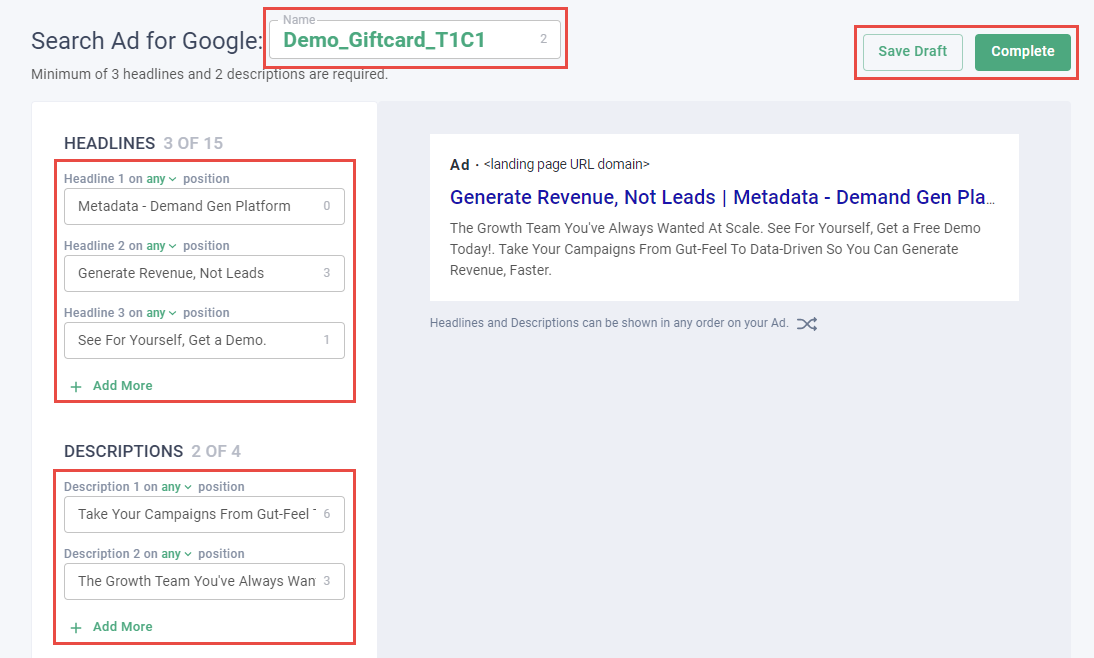
- Enter a Name for your ad
Note: Consider using a naming convention for ads: Objective_Message_TextVariation_CreativeVariation. Example of this in practice: Demo_Giftcard_T1C1.
- Enter Headlines and Descriptions
- Click + Add More to add additional Headlines or Description
Note: Google automatically tests headline and description variations to find your best performing copy.
- Click Save Draft or Complete
Note: Draft ads can be edited in the future. Completed ads can be used in campaigns but cannot be edited.