Help Center › Metadata Classic › Integrations › Ad Channels – Permissions Get Started: Add Microsoft Ads Permissions for Professional Services and Tech Support
Updated Sep 26, 2026
Also applies to MetadataONE
What do these permissions help with Assign User Access in Microsoft Ads What do these permissions help with
Our support team can investigate technical issues natively in Microsoft Ads
Our PMM team can do quality assurance, such as checking for ad disapprovals and billing issues. Also, assist you in doing manual workarounds.
Your MSD can see what is happening on the native channel and can then assist you in creating re-targeting audiences.
Assign User Access in Microsoft Ads
Log into your Microsoft Ads Account account here
Select your Ad Account
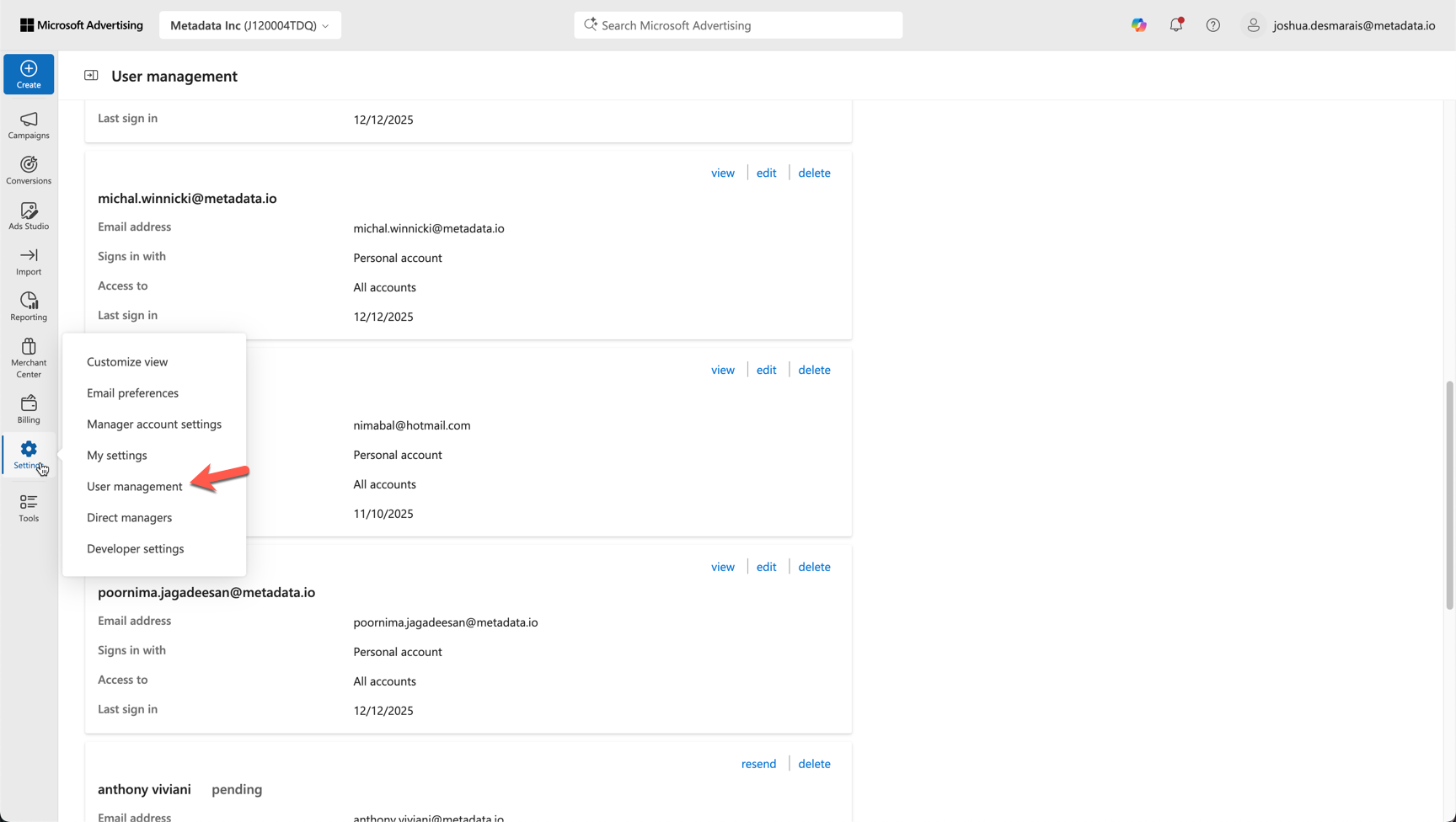
Under Settings go to User Management
Select Invite User
Enter the email from Metadata team you wish to invite. Please note you should not invite any personal emails and it should always be a metadata team member you are inviting.
Assign Role Advertiser Campaign Manager
← Previous Get Started: Add Google Ads permissions for Professional Services and Tech Support Next → Get Started: Add Reddit Permissions for Professional Services and Tech Support