Prerequisite: The Metadata Slack App requires Metadata Insights. For more information about how you can get Metadata Insights, please reach out to your MSD.
Get updates for specific accounts that are visiting your website using the Metadata Slack App.
Invite your sales team so that they can be notified whenever one of their accounts has visited your website.
Notification example
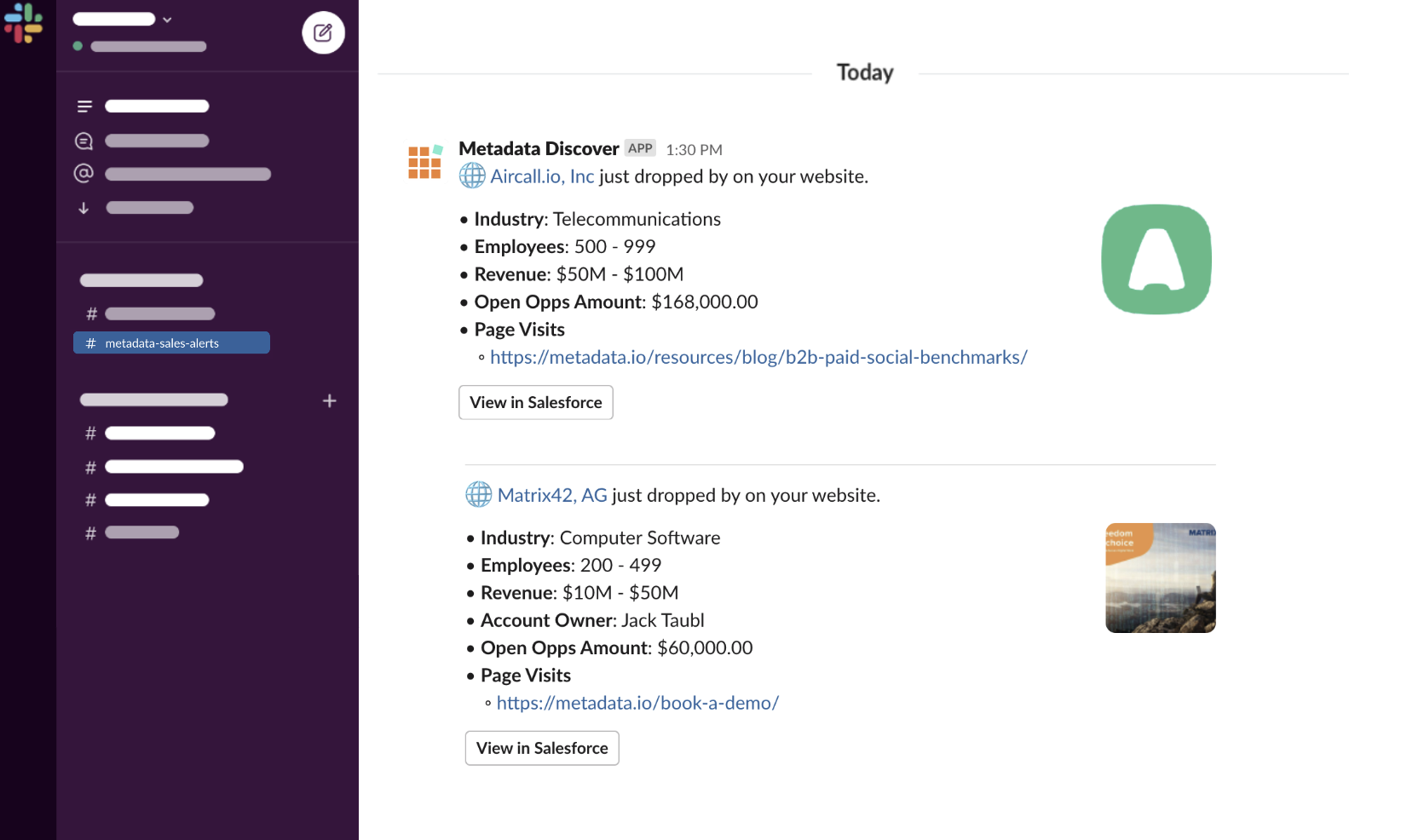
Connect Slack
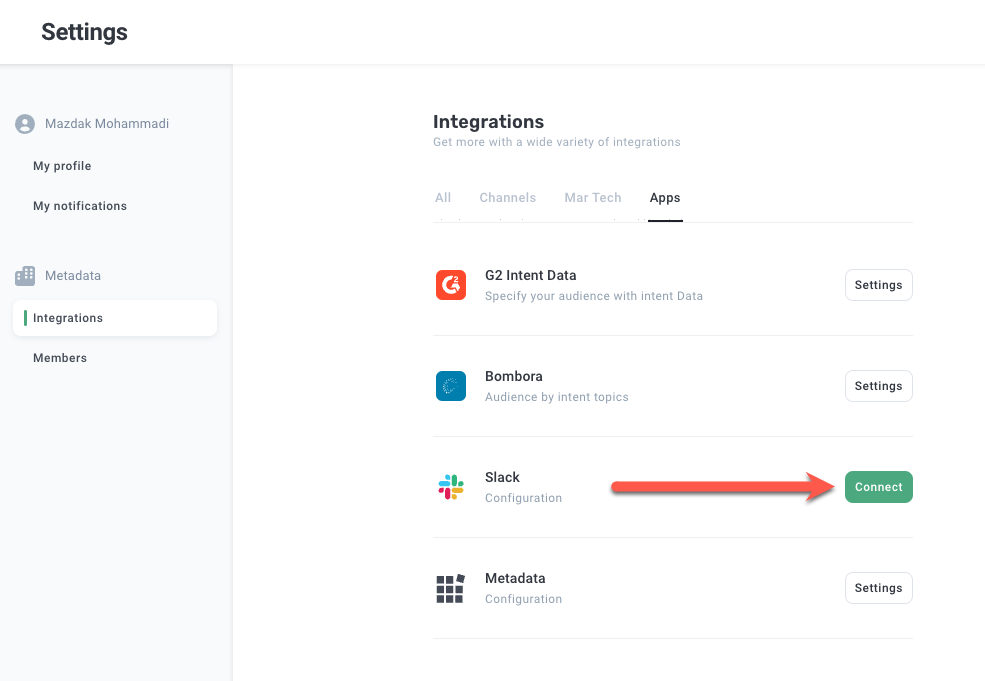
Click Settings in the bottom left hand side and click Integrations.
Click Connect in the Slack box.
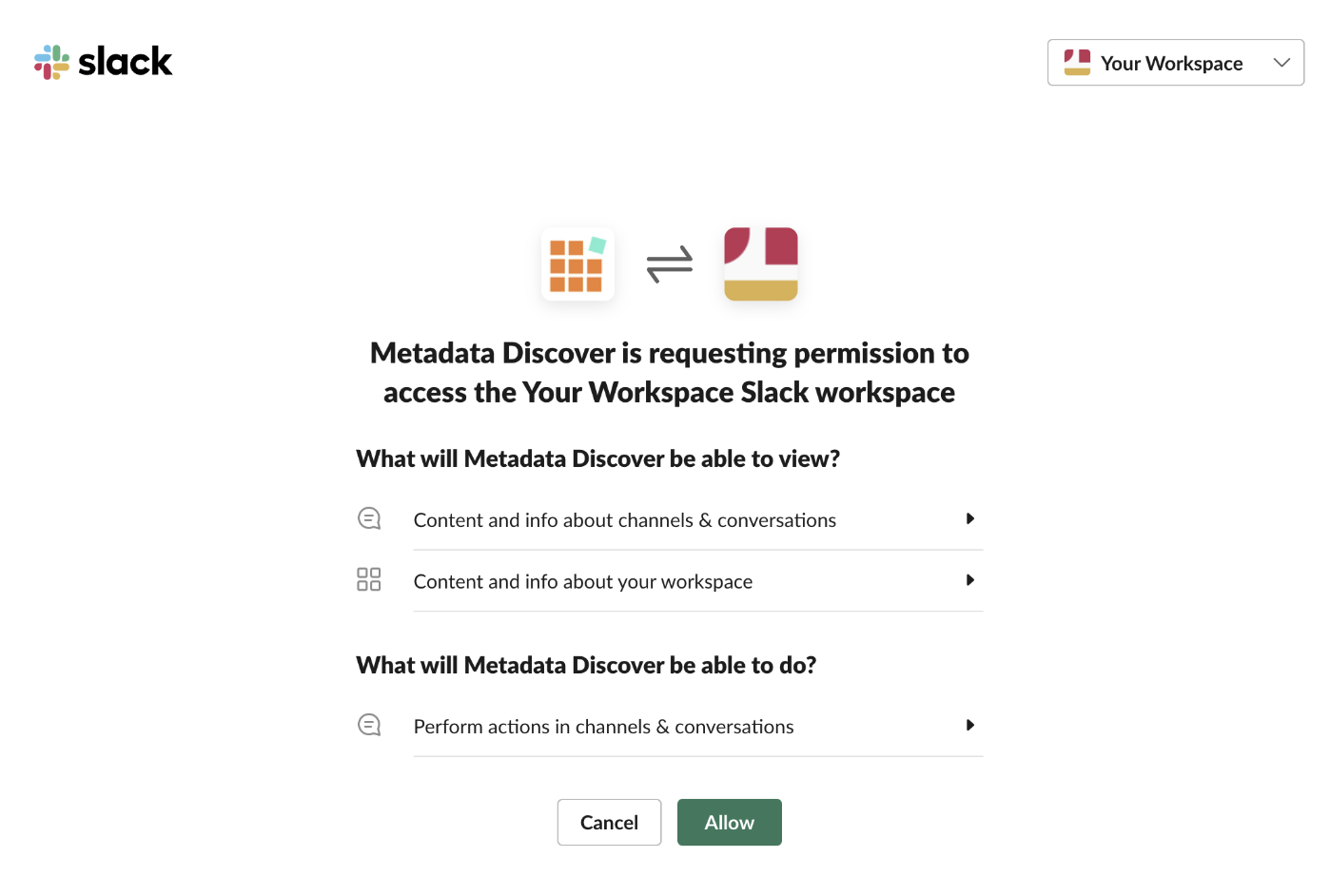
Complete authentication prompts and accept permissions.
IMPORTANT: Make sure to add the Metadata Discover app to your Slack channel where you want the alerts to go. Navigate to the channel in your Slack click top right where you can view members of the channel -> go to Integrations tab -> click Add App and add the Metadata Discover app to your channel.
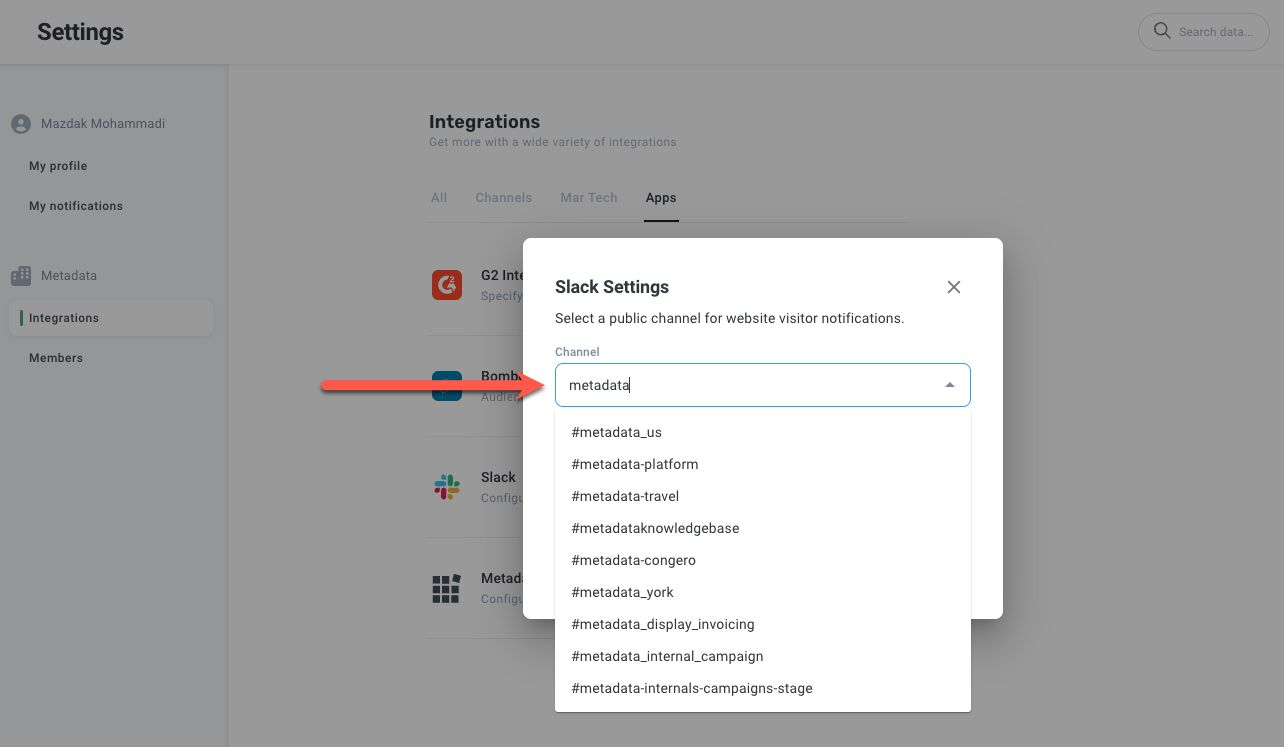
After adding the app to your Slack channel select the Slack channel you want to push updates too.
Click Save.
After configuring the Slack integration you may configure your alerts via here: Slack Alerts