In order to remove Negative Keyword Lists from Metadata you will need to first remove them from the campaigns they are associated with via Google Ads directly.
- Log into your Google Ads account.
- Click on the "Tools & Settings" icon located in the top-right corner of the screen.
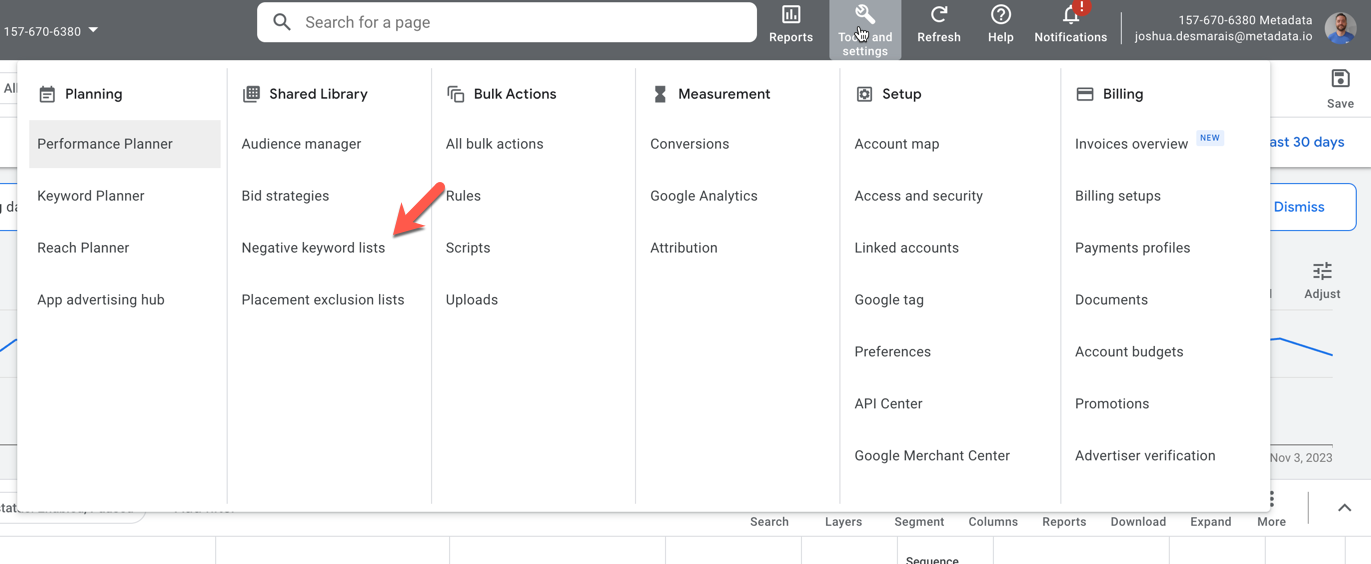
- Select "Negative Keyword Lists" from the dropdown menu.
- Choose the specific negative keyword list you want to remove.
- If the list is currently linked to any campaigns, you will be able to select those campaigns and unlink the negative keyword list from them.
- Once you have successfully unlinked the negative keyword list from all associated campaigns, you can proceed with deleting it.
- Once the negative keyword list is removed from Google Ads you can proceed with removing it from Metadata.