
How to: Verify Domain and create Lead Facebook Event
On this page
As part of recent policy changes, Facebook is requiring for the landing page domain to be verified and all web events to be configured on the verified domain.
This guide will walk through how to add the “Lead” event type which is what Metadata uses when launching Landing Page offers from the platform.
Verify your Domain
- Go to https://business.facebook.com/settings/owned-domains
- Ensure your domain is verified
- Once the domain is verified continue to the next step
- Follow these steps if you need further help to verify your domain: Verifying your Domain

Configure your Pixel with the verified Domain
- Once your domain is verified navigate to Events Manager on Facebook - Facebook Events Manager
- Select your primary Facebook Pixel - Note: If you do not have a Facebook Pixel Metadata will create one when Facebook is Integrated in the platform.
- Under events you should see "Lead"
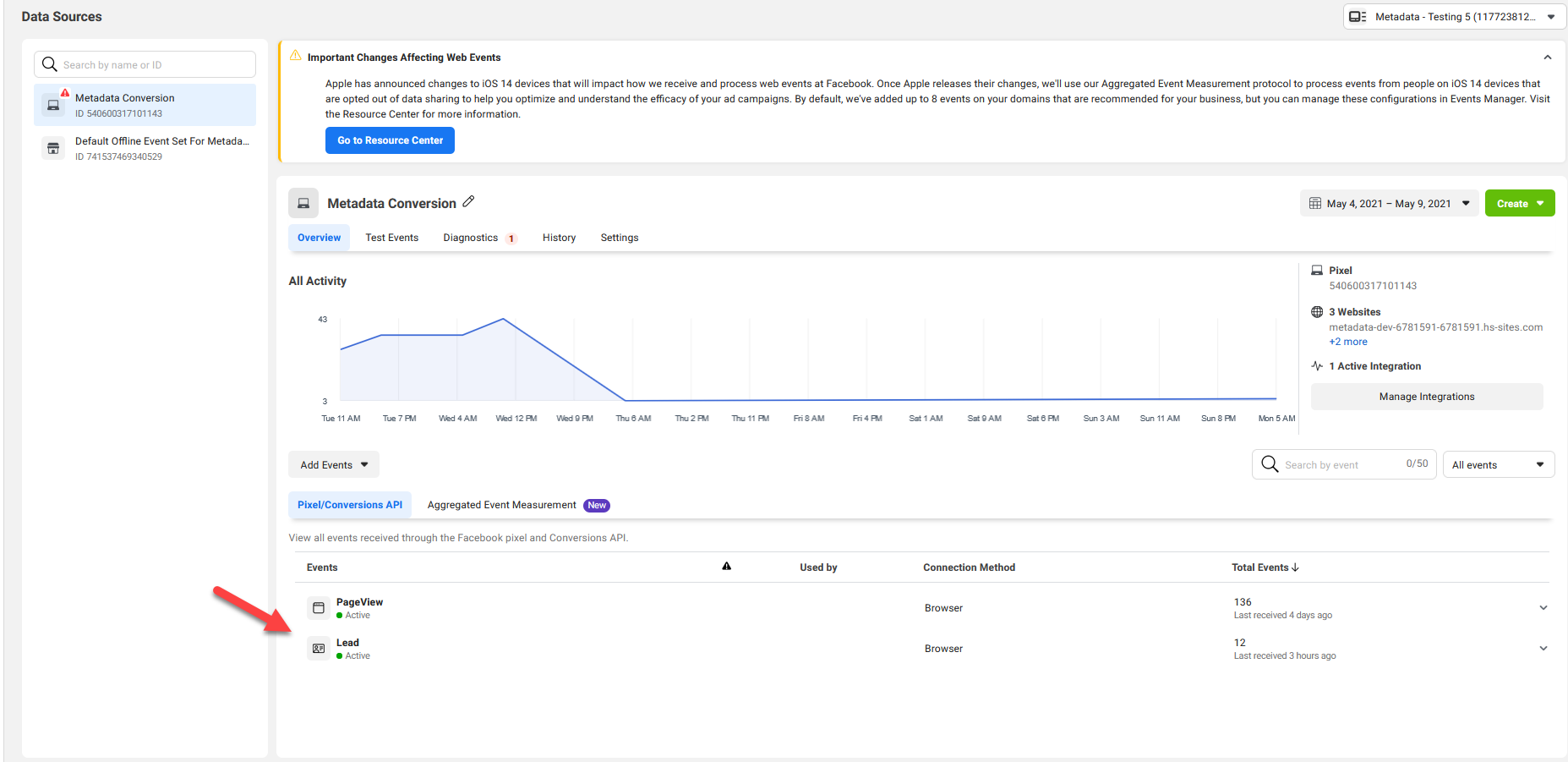
If Lead event is missing
- Ensure that Facebook is connected
- Copy the Thank you Page Facebook Pixel
- Place this script on your Thank you Page Landing Pages.
- Once placed navigate to the Thank you Page which will trigger creating the Lead event in your Pixel
- It may take 10-30 minutes for it to refresh
Configure Web Events
- Navigate to Events Manager again
- Choose your main pixel
- Choose aggregated event measurement tab
- Choose configure web events
- Choose your verified domain
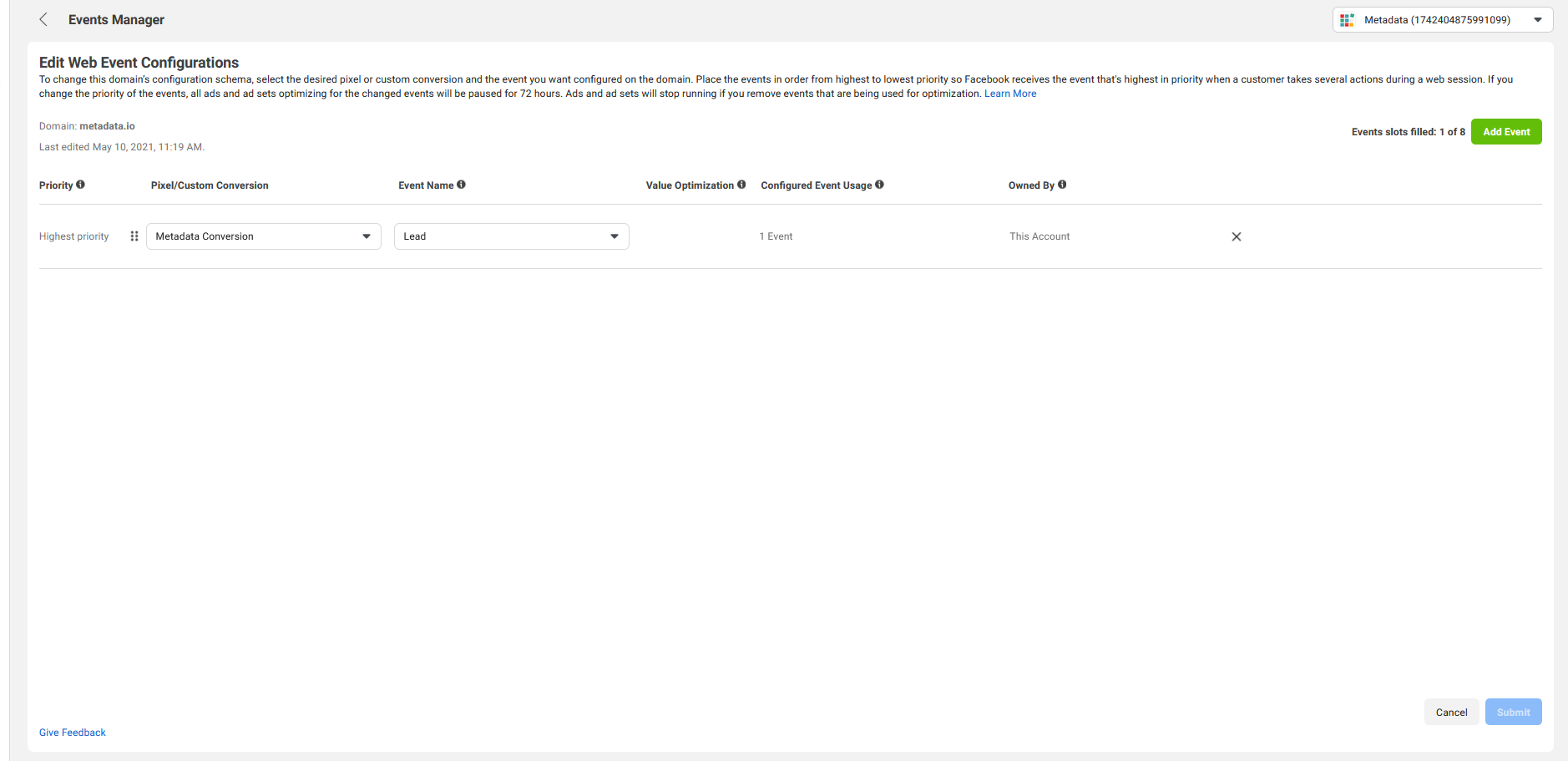
- Choose manage events
- Define Lead Event for your pixel on your verified domain
Help and Support: Please email support@metadata.io if you're running into any issues.