Reach your target persona on X using MetaMatch audiences and lauch campaigns.
Assign Metadata Permissions in X
Complete the following options:
Add Metadata in X Ad Manager
Go to the X Ads Manager.
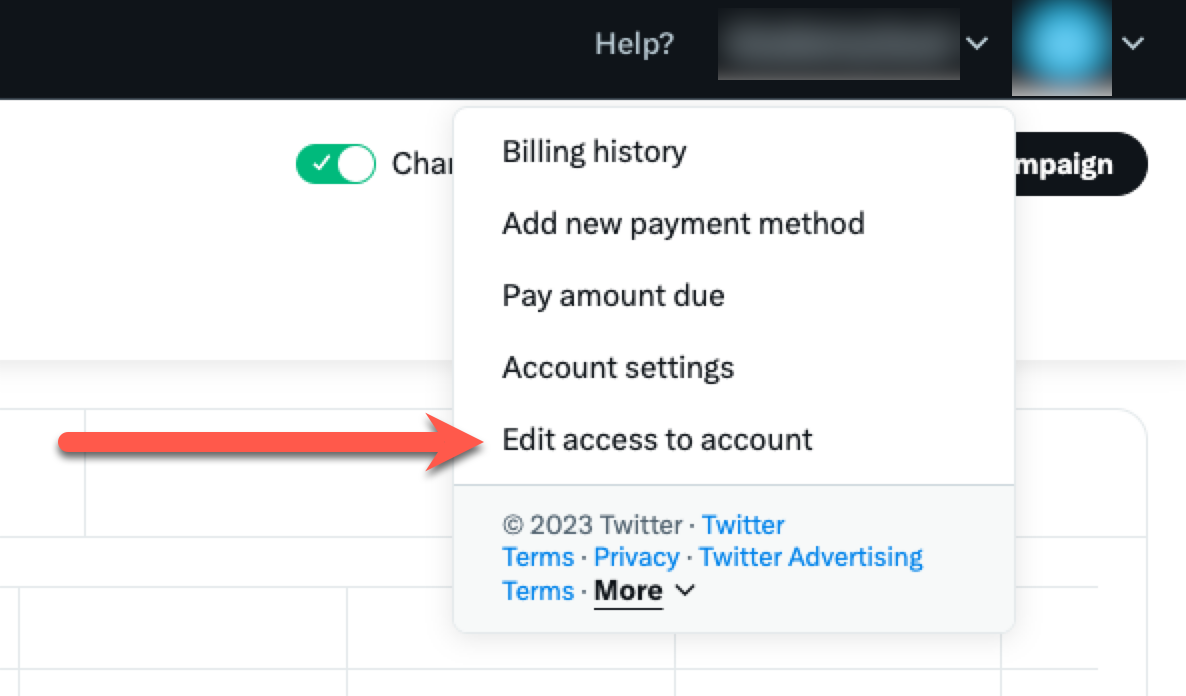
Click your username in the upper right and click Edit Access to Account.
Copy your account number (we'll need this connect X in a later step).

Click Add Access.
Enter and select @MetadataInc.
Set access to Ad manager.
Click Save changes.

Add Metadata in X Business
Go to X Business.
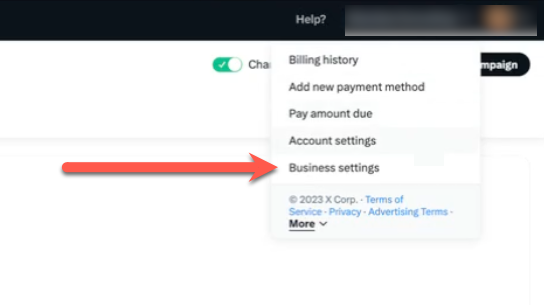
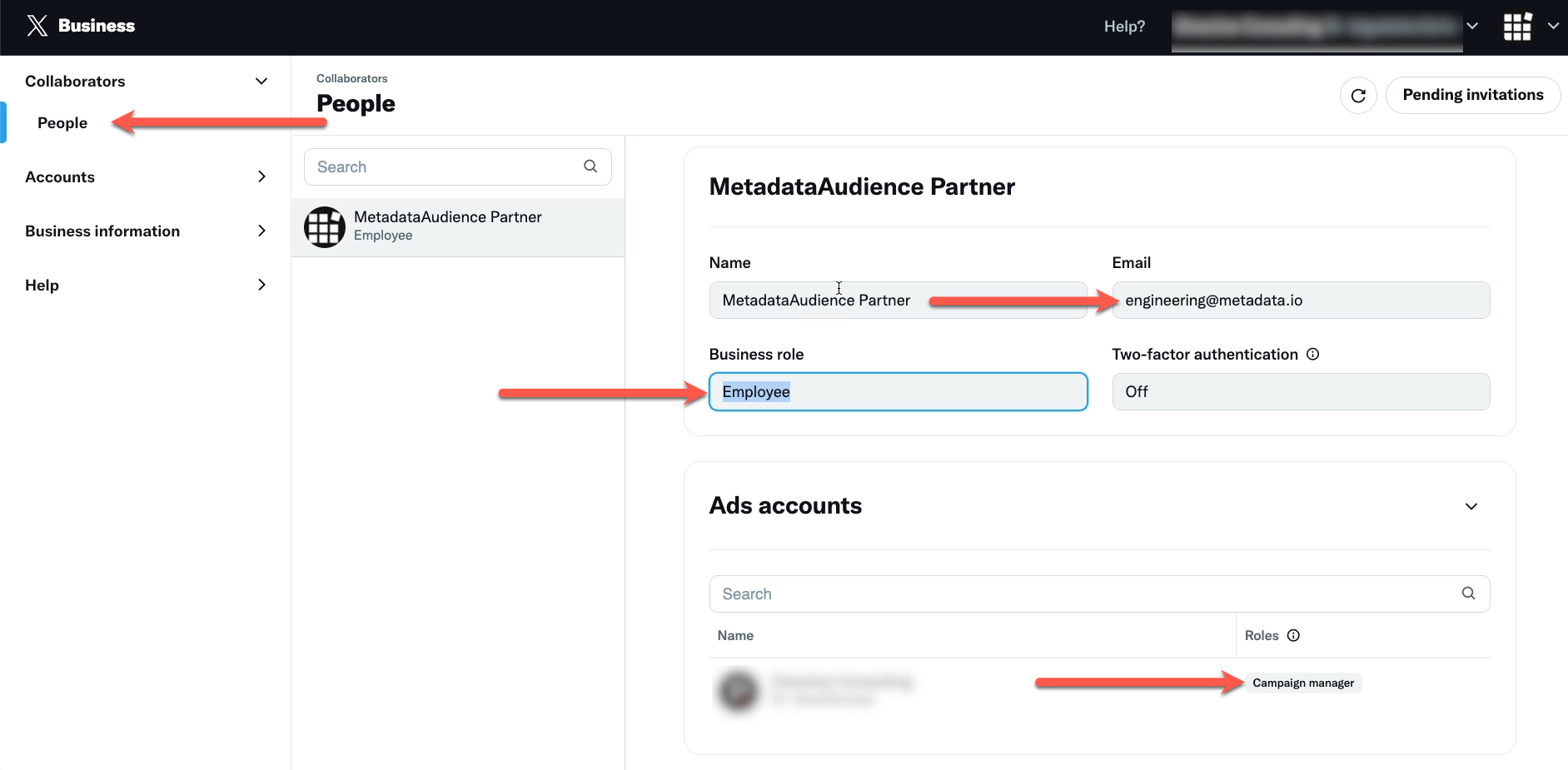
Click People.
Add engineering@metadata.io with the business role set to Employee.
Give Metadata Campaign manager permissions to the ad accounts.
Connect X in Metadata
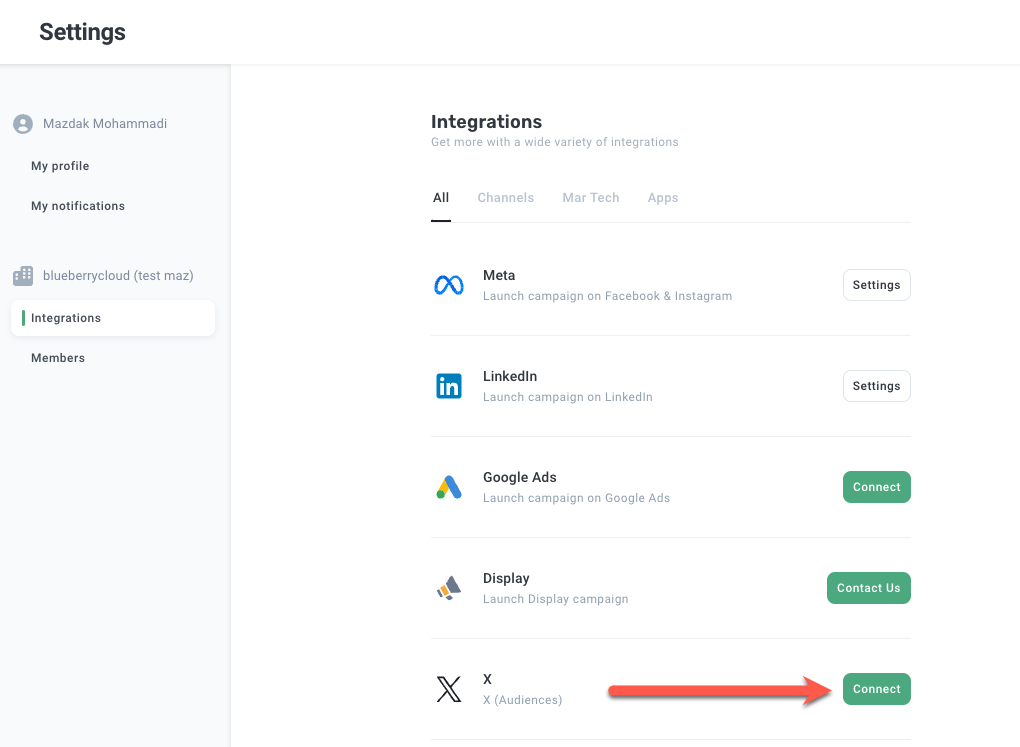
Go to the Integrations page.
Click Connect in the X box.
Enter your account number (copied earlier in the steps above).
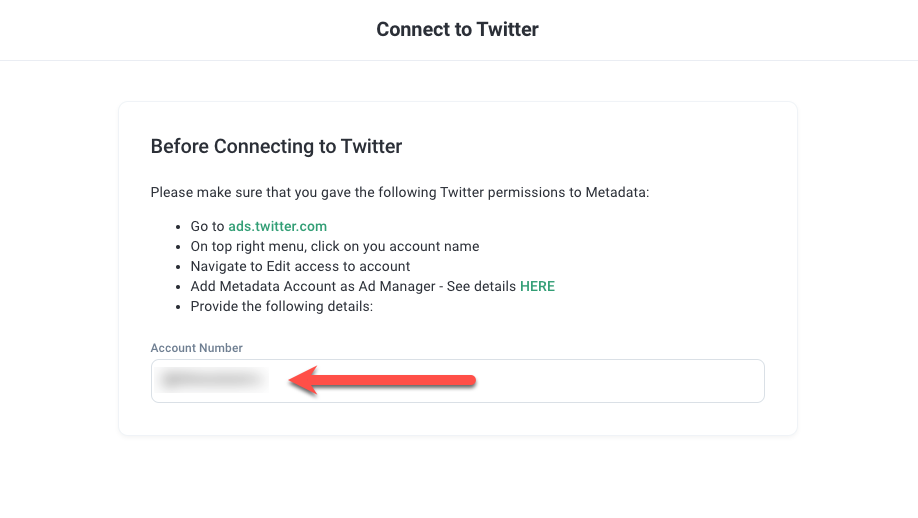
Click Connect.