Whether it's a MetaMatch audience, retargeting audience or other audience type - you can easily exclude GEOs using audience groups or exclusion audiences.
Using Target Groups
Note: This option requires that you pause, duplicate and relaunch your existing campaigns with a new audience group.
- Create a new native targeting firmographic audience for the channel you want to affect (eg, Firmographic - LinkedIn Native Targeting, Firmographic - Facebook Native Targeting etc) with the GEOs you want to limit your targeting to
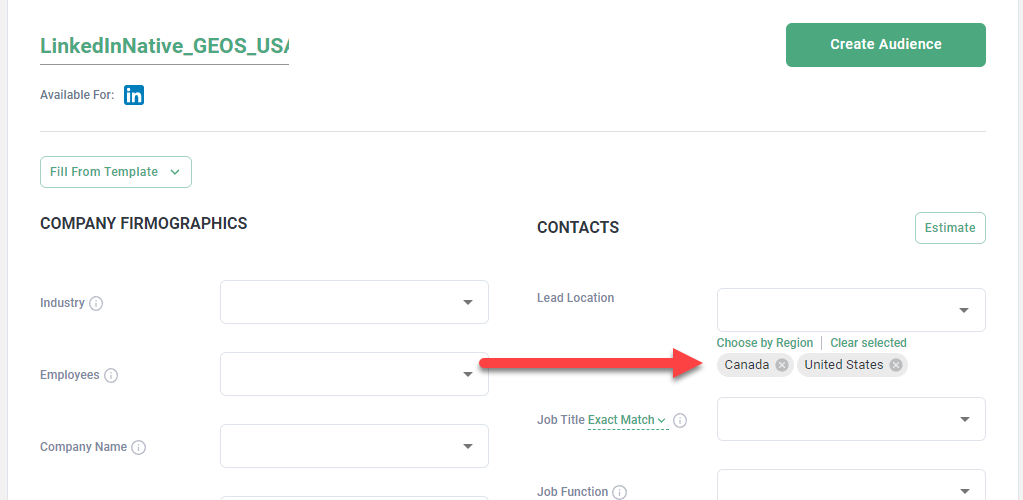
-
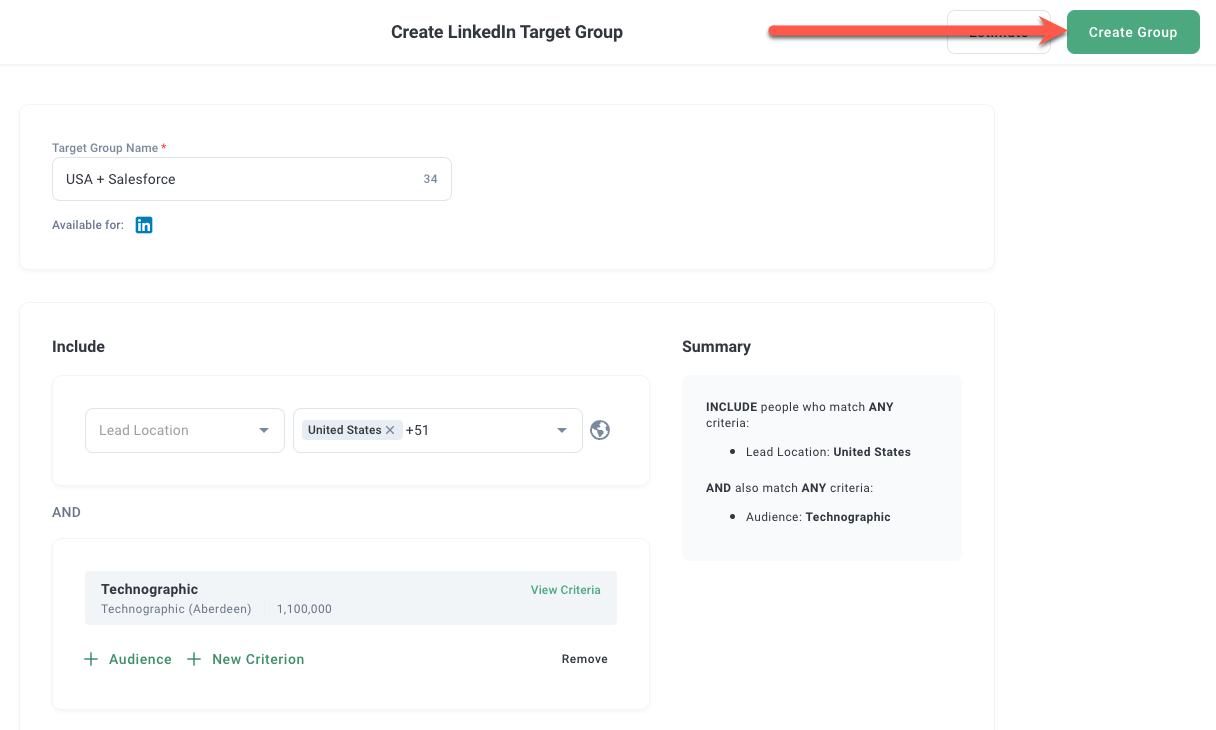
Group your new audience with the base audience
- Pause your existing campaign, duplicate it, replace the existing audience with your target group and relaunch the campaign
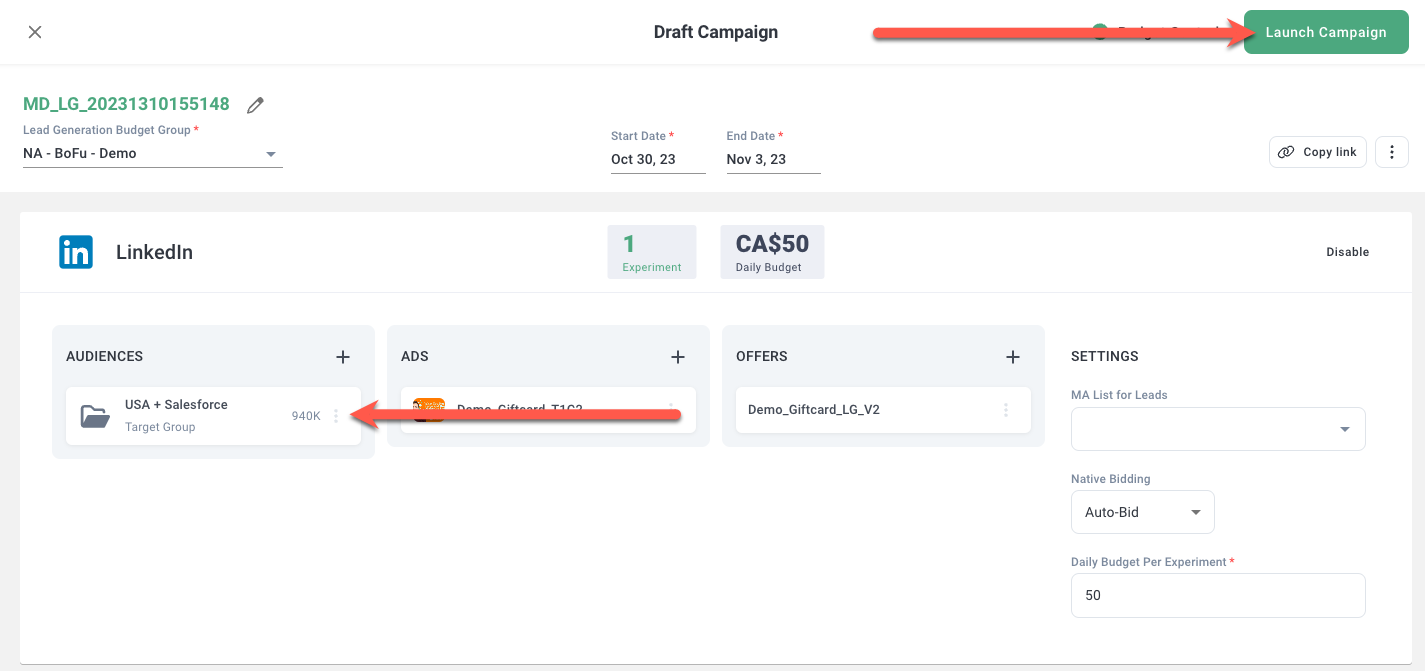
Using Exclusion Audiences
Note: This option does not require you to pause, duplicate and relaunch your campaigns but involves creating a new audience with a very large list of exclusion countries. As well, LinkedIn has a max limit of 200 countries.
- Create a new native targeting firmographic audience for the channel you want to affect (eg, Firmographic - LinkedIn Native Targeting, Firmographic - Facebook Native Targeting etc) with the GEOs you want to exclude
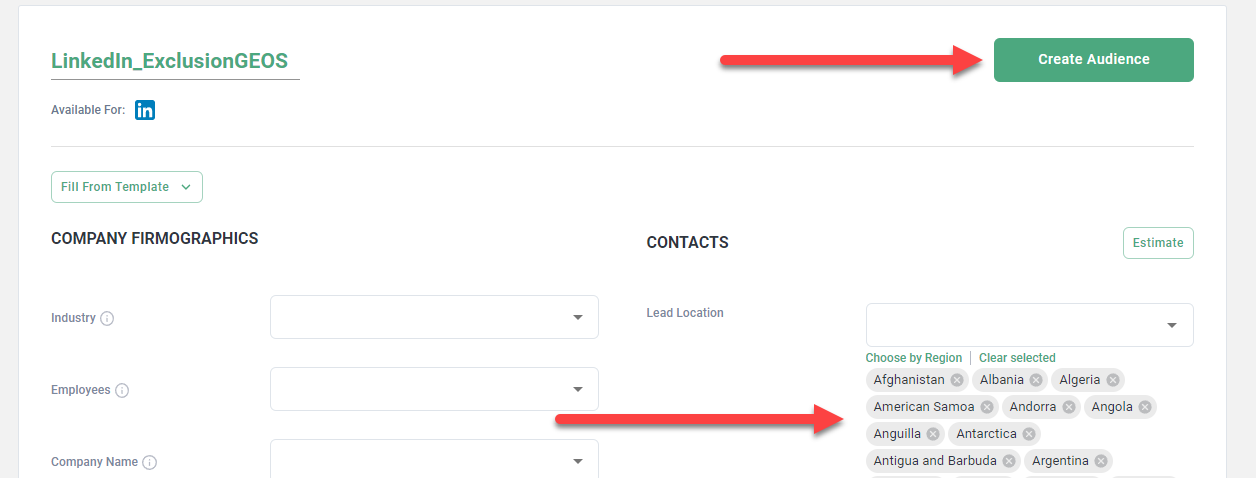
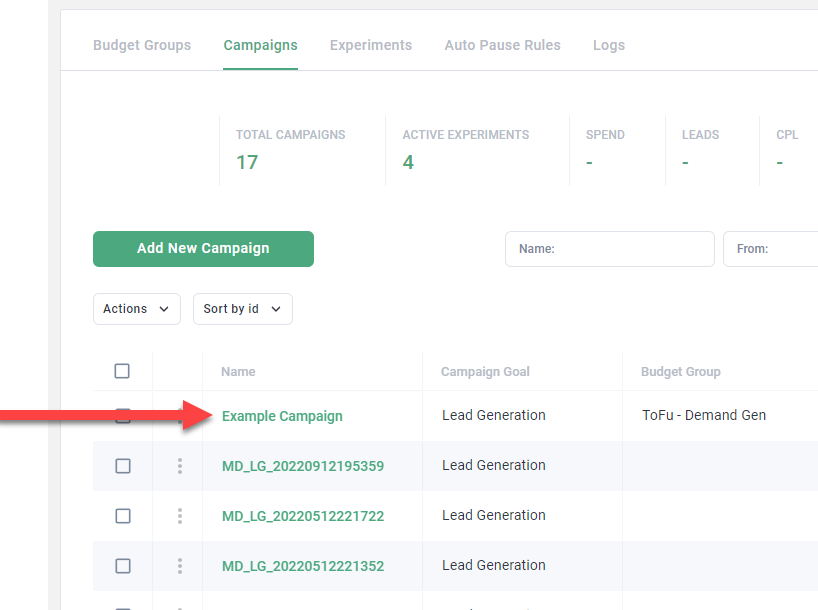
- Click your campaign on the Campaigns page
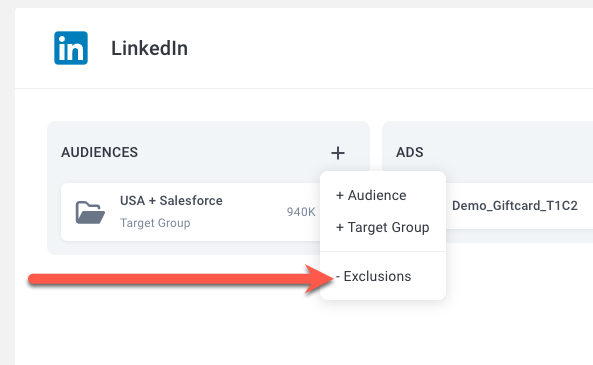
- Click Exclude Audience
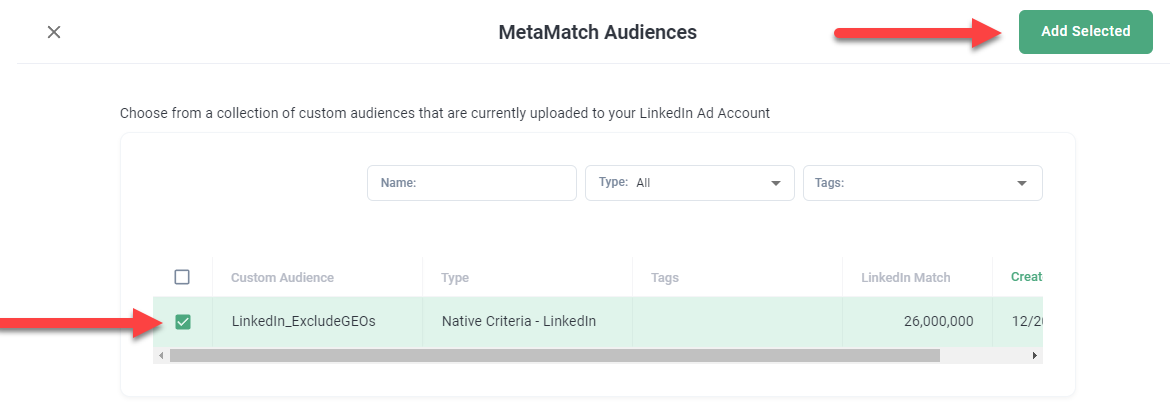
- Select and add your exclusion audience to your campaign
Both approaches ensure that your ads are targeting the correct GEOs.